- Apps
- Premium
-
VPN Locations
- Help
- Sign up
- Sign in
What is a VPN Tunnel, Explained Simply
Contents
A VPN tunnel is the encrypted connection between your device and a VPN server. Everything you send gets scrambled, then wrapped in an outer layer that shows only the server's address, so your internet provider can see that you're connected to a VPN but not what you're doing inside it.
That's the whole idea. The rest of this is how it works, which version of it you want, and where the tunnel stops helping.
What a VPN tunnel actually is
"Tunnel" is a metaphor, and a decent one, but it papers over two separate things that have to happen together.
The first is encryption. Your data gets turned into unreadable ciphertext using a key that only your device and the VPN server hold. Anyone who grabs the traffic in transit gets noise.
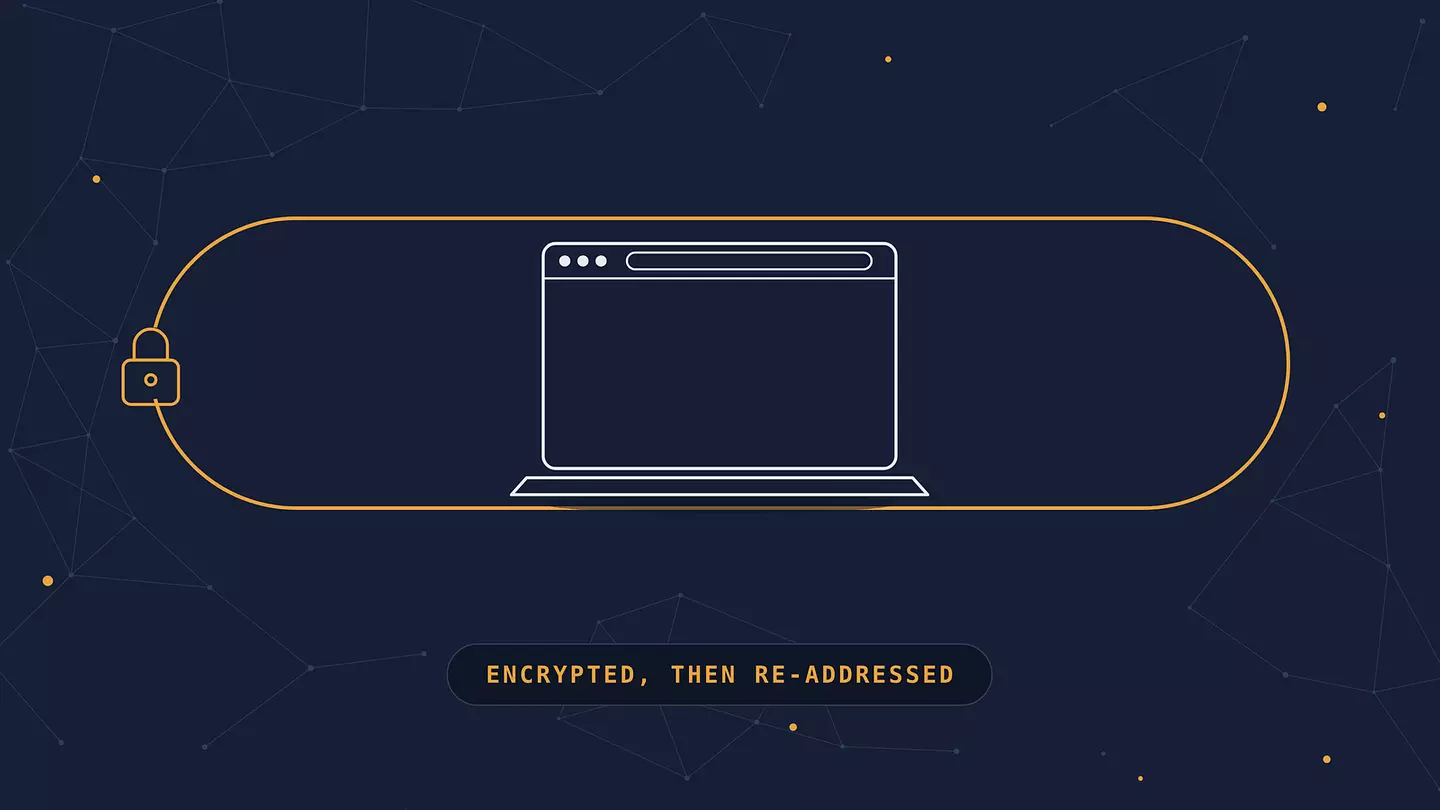
The second is encapsulation. That encrypted data gets wrapped inside a brand new packet with a new address on the outside. This is the part people miss. Encryption alone would hide the contents of your traffic while leaving the destination visible, which is a bit like sealing a letter and then writing your therapist's name on the front of the envelope.
Put them together and you get the tunnel. Write the letter in a code only your friend can read, then seal it in a plain envelope addressed to your friend's office. The mail carrier learns one thing: this letter is going to that office. Where it goes after that is none of their business.
Neither piece is a tunnel on its own. Encryption without encapsulation leaks your destinations. Encapsulation without encryption is just rerouting, which is what a proxy does.
How a VPN tunnel works, step by step
Here's the sequence, start to finish, every time you hit connect.
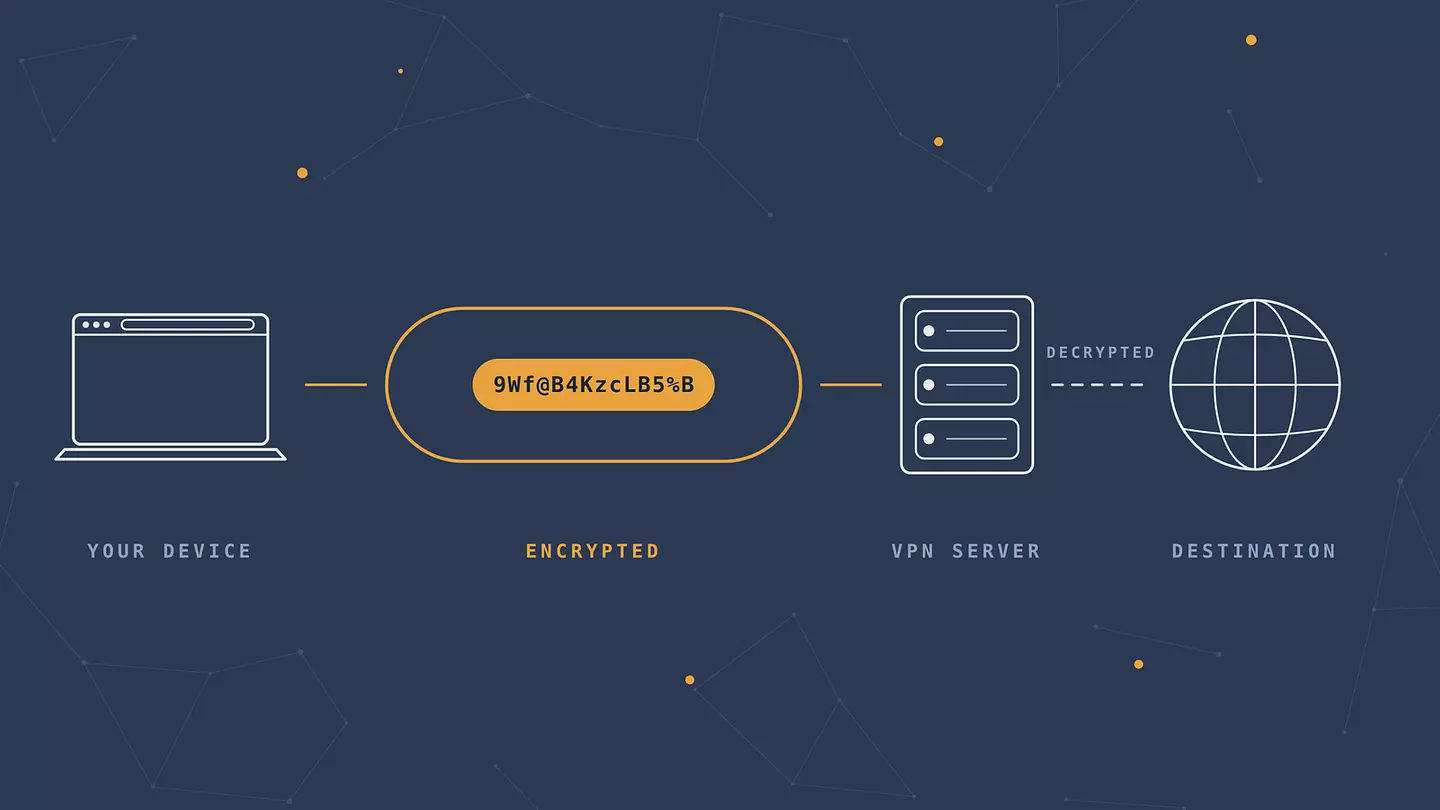
The handshake. Your device and the VPN server verify each other and agree on a shared secret key. This takes a fraction of a second and happens before any of your data moves.
Encryption and wrapping. Your browser sends a request. Before it leaves your device, the VPN client encrypts it and encapsulates it in a new packet addressed to the VPN server.
The trip out. That packet crosses your home router, your ISP, and however many networks sit between you and the server. Everyone along the way sees the same thing: encrypted data heading to one specific server address.
The exit. The VPN server decrypts your request and forwards it to the site you actually wanted, using its own IP address instead of yours. The site sees the server, not you.
The return. The response comes back to the VPN server, gets encrypted and wrapped again, and travels home through the same tunnel, where your device unwraps it.
The round trip adds a small delay, which is why a VPN connection is always at least slightly slower than no VPN. How much slower depends almost entirely on the next section.
Tunneling protocols, and which one to pick
A tunneling protocol is the rulebook for building the tunnel: how the handshake runs, which cipher encrypts your data, how packets get wrapped. Six of them are still in circulation, and they are not equivalent.
Protocol | Speed | Security | Best for |
|---|---|---|---|
WireGuard | Fastest | Strong, modern ciphers | Almost everyone. The sensible default. |
OpenVPN | Moderate | Strong, heavily audited | Restrictive networks, older devices |
IKEv2/IPSec | Fast | Strong | Phones hopping between Wi-Fi and mobile data |
SSTP | Moderate | Adequate | Windows machines behind strict firewalls |
L2TP/IPSec | Slow | Dated | Legacy setups you cannot replace |
PPTP | Fast | Broken | Nothing |
WireGuard is fast partly because it's small. It uses one fixed set of modern ciphers (ChaCha20 with Poly1305 for encryption, Curve25519 for key exchange) instead of offering dozens of configurable options, which means less code, fewer places for bugs to hide, and a handshake that completes quickly enough to feel instant when you switch networks.
PPTP is the one to genuinely avoid. Its encryption has been breakable for years, and in October 2024 Microsoft deprecated both PPTP and L2TP in Windows Server, telling administrators to move to SSTP or IKEv2 instead. When the company that invented a protocol tells you to stop using it, that's a clear enough signal.
If you want the longer version, we've got a full breakdown of each VPN protocol and where it fits.
What split tunneling means
Split tunneling lets you send some traffic through the tunnel and some straight out over your normal connection.
The useful case: you want your browser going through a VPN server in another country while your banking app connects directly, because banks tend to flag logins from unexpected locations. Split tunneling handles both at once.
The case where it burns you: you set it up once, forget which apps you excluded, and later assume everything is protected when half of it isn't. If you turn split tunneling on, keep the exception list short and know what's on it.
What a VPN tunnel doesn't protect you from
This is the part most explainers skip, and it matters more than another paragraph about encryption strength.
A tunnel hides your traffic from the network. It does not make you anonymous. If you log into your Google account through a VPN, Google knows it's you. The tunnel changed where the connection appears to come from, not who's typing.
It doesn't stop browser fingerprinting either. Your screen resolution, installed fonts, time zone, and graphics rendering combine into a signature that sites can track across sessions regardless of your IP address.
It won't block malware. A VPN encrypts a malicious download exactly as carefully as a legitimate one.
And it moves your trust rather than eliminating it. Your ISP can no longer see your traffic, but the VPN provider handles it at the exit point. That's why a provider's logging policy is worth more than its marketing copy about military-grade encryption.
None of this makes tunnels less useful. It just means knowing what you're buying.
When a tunnel is worth having
Public Wi-Fi is the clearest case. On an open network at an airport or cafe, anyone else connected is on the same segment as you, and a VPN tunnel makes your traffic unreadable to all of them. We went into what can and cannot go wrong on open networks separately.
ISP visibility is the second. Without a tunnel, your provider has a log of every domain you visit, and in plenty of countries they're allowed to sell or hand over that record.
Regional blocks are the third. Streaming catalogs, news sites, and sometimes entire services change based on where your connection appears to originate. Exit through a server elsewhere and you get what people there get. There are more practical reasons to run one than these three, but they cover most everyday use.
Tunnel vs. proxy
A proxy reroutes your traffic through another server. That's it. Your IP address changes, so sites see a different origin, but nothing gets encrypted along the way and your ISP can still read every request. A VPN tunnel does both jobs, which is why the two aren't interchangeable even though they look similar from the outside. If you're weighing one against the other, here's how proxies compare to VPNs in practice.
FAQ
Is a VPN tunnel the same thing as a VPN?
Close, but not identical. The VPN is the whole service: apps, servers, protocols, policies. The tunnel is the encrypted connection itself, the piece that does the actual work. In casual use people say "VPN" when they mean the tunnel, and nobody minds.
Can a VPN tunnel be traced or decrypted?
Breaking the encryption on a modern tunnel isn't realistic with current computing. What can happen is everything around it: an observer can see that you're using a VPN and how much data you're moving, and the provider itself sees your traffic at the exit point. The cipher is rarely the weak link.
Does tunneling slow down your connection?
Yes, a little, because your data takes a detour and gets encrypted both ways. With WireGuard on a nearby server the difference is usually small enough not to notice. Picking a server on another continent or an older protocol like L2TP is what turns a small cost into an obvious one.
Do you need a VPN tunnel on your phone?
Phones join more untrusted networks than laptops do, and they do it automatically. If you use public Wi-Fi at all, the phone is arguably the more important device to cover.
Is VPN tunneling legal?
In most countries, yes, and businesses rely on it daily for remote access. A handful of countries restrict or ban VPN use outright, and the rules there change. Whatever you do through the tunnel is still governed by local law regardless of the encryption.
Cite this article
Browsec. "What is a VPN Tunnel, Explained Simply." Browsec Blog, August 28, 2026, https://browsec.com/en/blog/vpn-tunnel.