- Uygulamalar
- Premium
-
VPN Konumları
- Yardım
- Kayıt
- Giriş
The Types of Browsers That Actually Differ
İçindekiler
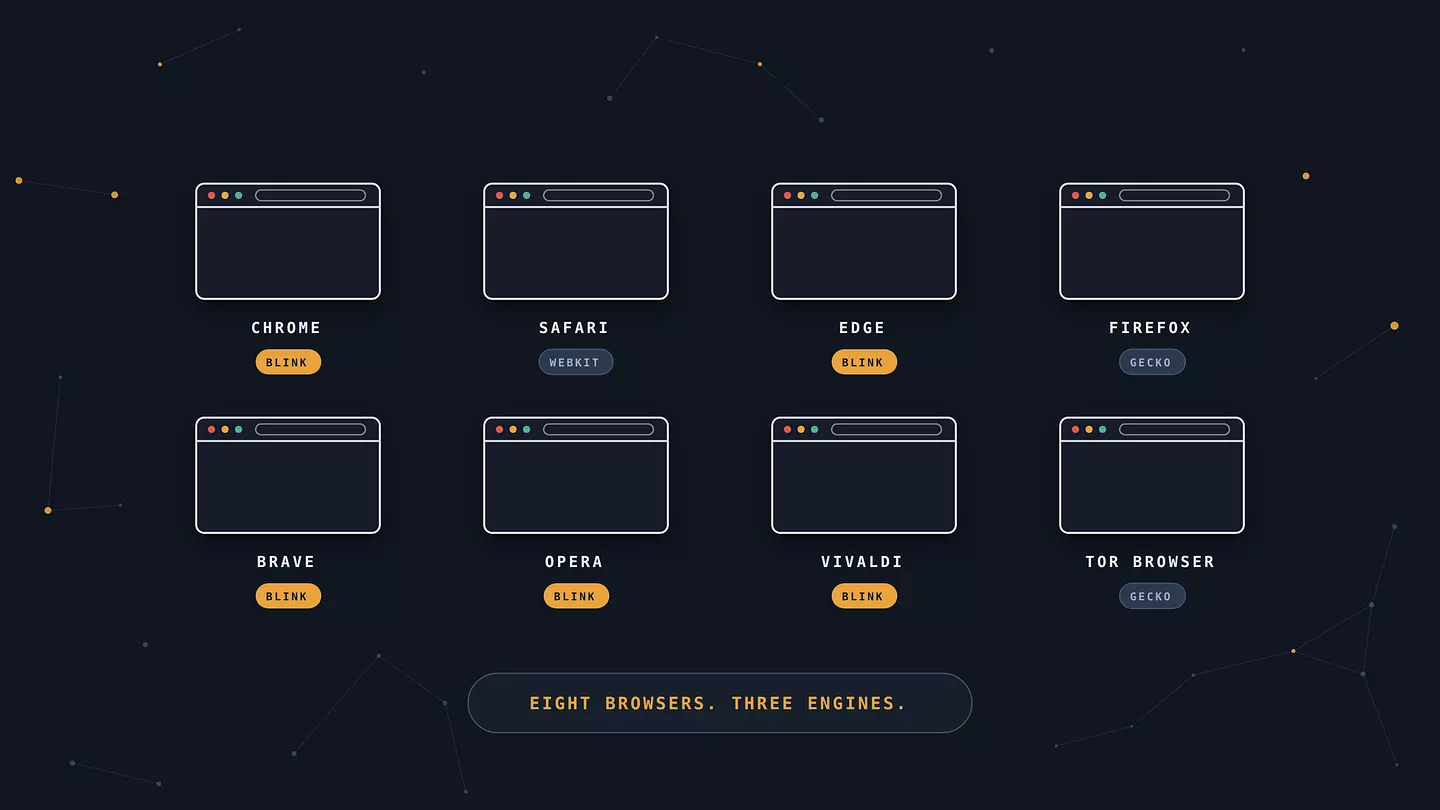
There are fewer types of browsers than the download pages suggest. Almost every browser you can name is built on one of three rendering engines: Blink, Gecko, or WebKit. Chrome, Edge, Opera, Brave, and Vivaldi all run Blink. Firefox runs Gecko. Safari runs WebKit. The practical differences between most browsers aren't about what they can display, then, but about what they do by default with your data, your tabs, and your battery.
That's a more useful way to sort them than the usual list, and it explains something people run into constantly. You switch from Chrome to a different browser and the web looks exactly the same. It would. You changed the shell, not the engine.
What a browser actually is
A browser is the program that fetches web pages and turns the code behind them into something you can read and click. You type an address, the browser requests the files from a server, and its rendering engine assembles the text, images, and layout into a page.
A search engine is a different thing, and the two get mixed up constantly. Google is a search engine. Chrome is a browser. You reach the search engine through the browser, and you can swap the search engine inside almost any browser without changing browsers at all. If you've ever heard someone say they "use Google" to mean the thing with tabs and bookmarks, that's the confusion in action.
The three engines behind almost every browser
Three rendering engines power essentially the entire browser market. Blink, developed by Google as part of the Chromium project, sits inside Chrome, Edge, Opera, Brave, Vivaldi, and Samsung Internet. Gecko, from Mozilla, powers Firefox and nothing else of significance. WebKit, from Apple, powers Safari.
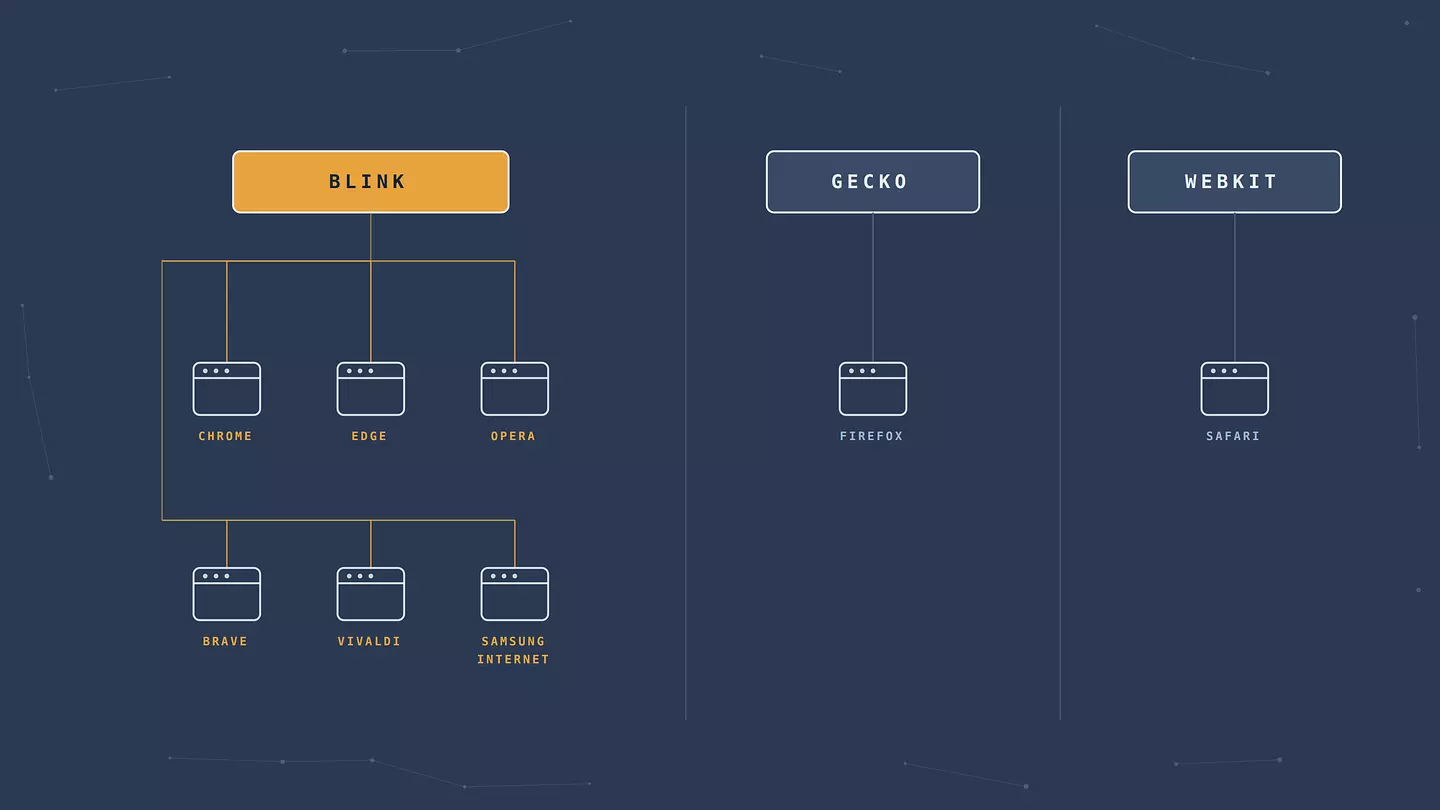
This matters for two reasons. The first is compatibility. When a site says it works best in Chrome, it usually works identically in Edge, Brave, and Vivaldi, because it's the same engine reading the same code. The second is choice. Blink's dominance means Google's decisions about how the web renders reach far past Chrome's own users, which is a large part of why Firefox's independence still gets defended so fiercely by people who don't personally use it.
There's one wrinkle on iPhone. For years Apple required every iOS browser to use WebKit, so Chrome on an iPhone was a Chrome interface wrapped around Safari's engine. Apple began permitting alternative engines in the EU under the Digital Markets Act, but outside the EU, iOS browsers still render with WebKit regardless of the name on the icon.
Text-based browsers like Lynx and w3m also exist, rendering pages as plain text with no images at all. They're genuinely useful for scripting, for servers without a desktop, and in some screen reader workflows. For everyday browsing, you can skip them.
The major browsers, one by one
Google Chrome
Chrome holds 68.22% of worldwide browser use as of July 2026, which makes it less a market leader than a default assumption. It's fast, its extension library is the largest anywhere, and it syncs across devices without friction.
The costs are real. Chrome is memory-hungry, particularly with a lot of tabs open, and it feeds a company whose revenue comes from advertising. Chrome's move to the Manifest V3 extension standard also ended support for uBlock Origin in its original form, which weakened the most capable ad blocker available on the platform. If ad blocking is the reason you'd pick a browser, Chrome now works against you.
Apple Safari
Safari is the second most-used browser at 16.47%, almost entirely on Apple hardware. It's the best browser on a MacBook for one unglamorous reason: battery life. Apple tunes it for its own silicon, and the difference against Chrome on a laptop is noticeable over a full day.
It also blocks cross-site trackers by default through Intelligent Tracking Prevention. The tradeoff is that Safari exists only in Apple's world, its extension ecosystem is thin next to Chrome's, and some sites still treat it as an afterthought during testing.
Microsoft Edge
Edge runs on Blink and is essentially Chrome with Microsoft's decisions layered on top. It sits at 5.37% worldwide. Sleeping tabs genuinely help on machines with limited RAM, vertical tabs are better than they sound once you've lived with 30 tabs open, and it runs Chrome extensions without modification.
Microsoft pushes it hard on Windows, and the built-in Copilot and shopping features aren't easy to fully remove. If you like Chrome's engine but not Google's data practices, Edge is a lateral move rather than an escape, because Microsoft is also an advertising business.
Mozilla Firefox
Firefox is the only major browser not built on Chromium, sitting at 3.34%. That number understates its importance. Gecko is the only meaningful alternative engine on desktop, so Firefox is what stands between the web and a single-engine monoculture.
Practically, it's a strong choice. Total Cookie Protection isolates cookies per site so advertisers can't follow you between them, container tabs let you keep work and personal logins separate in one window, and full uBlock Origin still works. It's slightly slower to start than Chrome on some machines, and a handful of enterprise tools still refuse to support it properly.
Brave
Brave is Chromium with the advertising stripped out. It blocks ads and trackers by default through its Shields feature, with no extension to install and nothing to configure, and pages load faster as a direct result of not downloading the ad payload.
Because it's Blink underneath, Chrome extensions install normally and sites behave the way they do in Chrome. Brave also runs an optional rewards program that shows its own ads in exchange for cryptocurrency tokens, which some people like and others find contradictory in a browser sold on ad blocking. You can leave it switched off.
Opera
Opera is another Chromium browser, at 1.88%, and it leans on features the bigger names don't bundle: a sidebar with messaging apps, workspaces for grouping tabs, and a gaming-focused variant called Opera GX.
Its built-in "free VPN" deserves a caveat, because it isn't a VPN. It's a browser proxy. It covers only your browser traffic, leaves everything else on your device unprotected, and offers a short list of regions. That's a meaningful distinction, and we've written about how proxies and VPNs actually differ if you want the full version.
Vivaldi
Vivaldi is for people who want to rearrange everything. It stacks and tiles tabs, includes a built-in mail client, calendar, and feed reader, and exposes more interface settings than any mainstream browser.
It's Chromium-based, so compatibility is a non-issue. The catch is the learning curve. Vivaldi assumes you want to configure things, and if you don't, it's more browser than you need.
Tor Browser
Tor Browser is a modified Firefox that routes your traffic through three volunteer-run relays before it reaches the site. No single relay knows both who you are and where you're going, which is what makes it the strongest anonymity tool most people can freely download.
It's also slow, by design rather than by defect, since your traffic is taking three detours on the way. Some sites block Tor traffic outright, and streaming through it is impractical. Use it when anonymity genuinely matters and accept the speed, or use something else.
Browsec şu platformlarla uyumludur:
How the major browsers compare
Browser | Engine | Platforms | Blocks trackers by default | Best for |
|---|---|---|---|---|
Chrome | Blink | Windows, Mac, Linux, Android, iOS | No | Extensions and cross-device sync |
Safari | WebKit | Mac, iOS | Yes | Battery life on Apple hardware |
Edge | Blink | Windows, Mac, Linux, Android, iOS | Partial | Low-RAM machines and Windows integration |
Firefox | Gecko | Windows, Mac, Linux, Android, iOS | Yes | Engine independence and separating logins |
Brave | Blink | Windows, Mac, Linux, Android, iOS | Yes | Ad blocking with zero setup |
Opera | Blink | Windows, Mac, Linux, Android, iOS | Partial | Bundled features and tab workspaces |
Vivaldi | Blink | Windows, Mac, Linux, Android | Partial | Heavy customization |
Tor Browser | Gecko | Windows, Mac, Linux, Android | Yes | Anonymity when it genuinely matters |
Market share figures from Statcounter, July 2026. Engine and feature details from each browser's own documentation.
Browsers built for privacy, and what they can't do
Privacy-focused browsers like Brave, Tor Browser, and DuckDuckGo's browser block trackers, strip fingerprinting signals, and clear data aggressively. They're a real improvement over a default Chrome install, and switching costs you nothing.
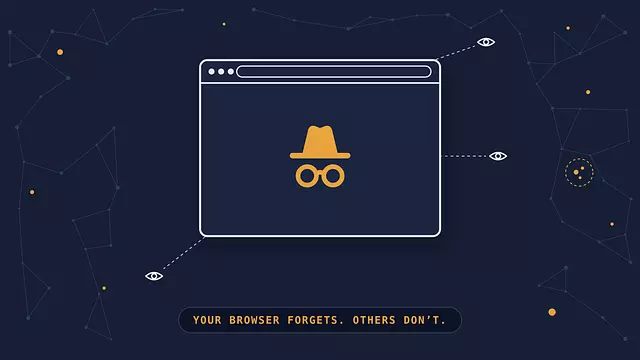
They also can't do the thing most people assume they do, and this is where the biggest misunderstanding in browser privacy lives. Incognito mode and private windows are not anonymity features. They delete your local history, cookies, and form entries when you close the window, and that's the whole job. Sites still see your IP address. Your internet provider still sees which sites you visited. A network administrator on your office or campus connection sees the same. Incognito hides your browsing from someone else using your device later, and from nobody else.
A narrower version of the same limit applies to the privacy browsers themselves. Brave stops trackers from following you between sites, but the site you're visiting still sees where your connection is coming from, and so does whoever runs the network. Closing that gap is a different job, done by encrypting your traffic and routing it through a server elsewhere, so it's worth knowing what a VPN covers and where it stops before assuming any single tool handles everything. It matters most on connections you don't control, which is a good reason to read up on staying safe on public Wi-Fi before your next airport layover.
Picking one
If you want the fewest surprises and the most extensions, use Chrome and add a good blocker. On a MacBook where battery life decides your afternoon, Safari. On an older Windows laptop that struggles with tab count, Edge and its sleeping tabs.
If you'd rather not hand Google the whole picture, Firefox is the only genuine engine alternative, and its container tabs are underrated. If you want ads gone without configuring anything, Brave. If you want to bend the interface to your exact habits, Vivaldi. And when anonymity is the actual requirement rather than a preference, Tor Browser, with the speed penalty accepted going in.
Most people are well served by two: a main browser for daily use and a second one, configured tighter, for anything they'd rather keep separate.
FAQ
What's the difference between a browser and a search engine?
A browser is the application that loads and displays web pages, like Chrome, Safari, or Firefox. A search engine is a website that finds pages for you, like Google, Bing, or DuckDuckGo. You use a search engine inside a browser, and you can change which search engine your browser uses in its settings without switching browsers.
Does incognito mode make you anonymous?
No. Incognito mode deletes your browsing history, cookies, and form data from your device when you close the window. Websites still see your IP address, your internet provider still sees which sites you visit, and a network administrator still sees your activity. It hides your browsing from other people using the same device, and from no one else.
Which browser uses the least RAM?
Among mainstream browsers, Edge and Safari typically use the least: Edge because sleeping tabs suspend inactive pages, Safari because Apple optimizes it for its own hardware. Chrome is generally the heaviest with many tabs open. Actual usage depends far more on how many tabs and extensions you run than on which browser you chose.
How many web browsers are there?
Dozens exist, but only about eight see meaningful everyday use, and they're built on just three rendering engines. Most of the longer lists you'll find consist of Chromium reskins that differ in interface and default settings rather than in underlying capability.
Is it safe to use a free browser?
Every major browser is free, including Chrome, Safari, Firefox, Edge, and Brave, so free by itself says nothing about safety. What matters is who maintains it and how it makes money. Stick to browsers from established developers that ship security updates regularly, and be cautious with unknown Chromium forks, which can bundle tracking or adware while looking identical to Chrome.
Bu makaleye atıf yapın
Browsec. "The Types of Browsers That Actually Differ." Browsec Blog, 26 Ağustos 2026 Çarşamba, https://browsec.com/tr/blog/types-of-browsers.