What Is a VPN Protocol, and Which One Should You Use?
목차
- What a VPN protocol actually does
- How a VPN protocol works, step by step
- The 6 VPN protocols in your app's menu
- Obfuscated protocols: when the goal is not being noticed
- VPN protocol comparison
- TCP or UDP: the other setting in that menu
- Which VPN protocol should you use?
- Why the protocol depends on the app you're using
- Frequently asked questions
A VPN protocol is the set of rules your device and a VPN server follow to build an encrypted connection between them.
It decides how the two sides prove they are who they claim to be, which encryption scrambles your traffic, and how that encrypted data travels across the internet. Swap one protocol for another and you change the balance between speed, security, and whether the connection survives a restrictive network at all.
If the bigger picture is still fuzzy, our guide on what a VPN is covers the fundamentals. Also learning about the benefits of using a VPN might help. This article goes one level down, into the machinery.
What a VPN protocol actually does
A protocol handles three jobs, in this order.
It runs the handshake. Before a single byte of your browsing leaves your device, the app and the server authenticate each other and agree on temporary encryption keys. This is where a protocol proves the server you reached is the real one and not something sitting in the middle of your connection.
It applies encryption. The protocol specifies which cipher scrambles your data and how keys get rotated during the session.
It moves the data. Your encrypted traffic needs to be wrapped in ordinary internet packets and sent somewhere. The protocol defines that wrapping, which ports it uses, and what happens when packets go missing.
Here is the distinction people trip over most: a protocol is not the same thing as encryption. AES-256 is a cipher, one specific algorithm for scrambling data. OpenVPN is a protocol, a full procedure that can use AES-256 among other options. Think of the cipher as the lock and the protocol as the courier's entire routine, from checking your ID at the door to choosing which road to drive. Two providers can both advertise AES-256 and still deliver very different connections, because the routine around that lock is what differs.
How a VPN protocol works, step by step
Say you tap Connect. Four things happen in roughly a second.
Your app contacts the VPN server on a specific port. The protocol decides which one, and that choice matters more than it sounds, as you'll see below.
The two sides authenticate and exchange keys. Certificates or public keys get verified, and both ends derive a session key that only they hold.
A tunnel opens. From here on, everything your device sends gets encrypted, wrapped in a new packet addressed to the VPN server, and sent out.
The server unwraps and forwards. It decrypts your request, sends it to the site you wanted, and encrypts the reply on the way back.
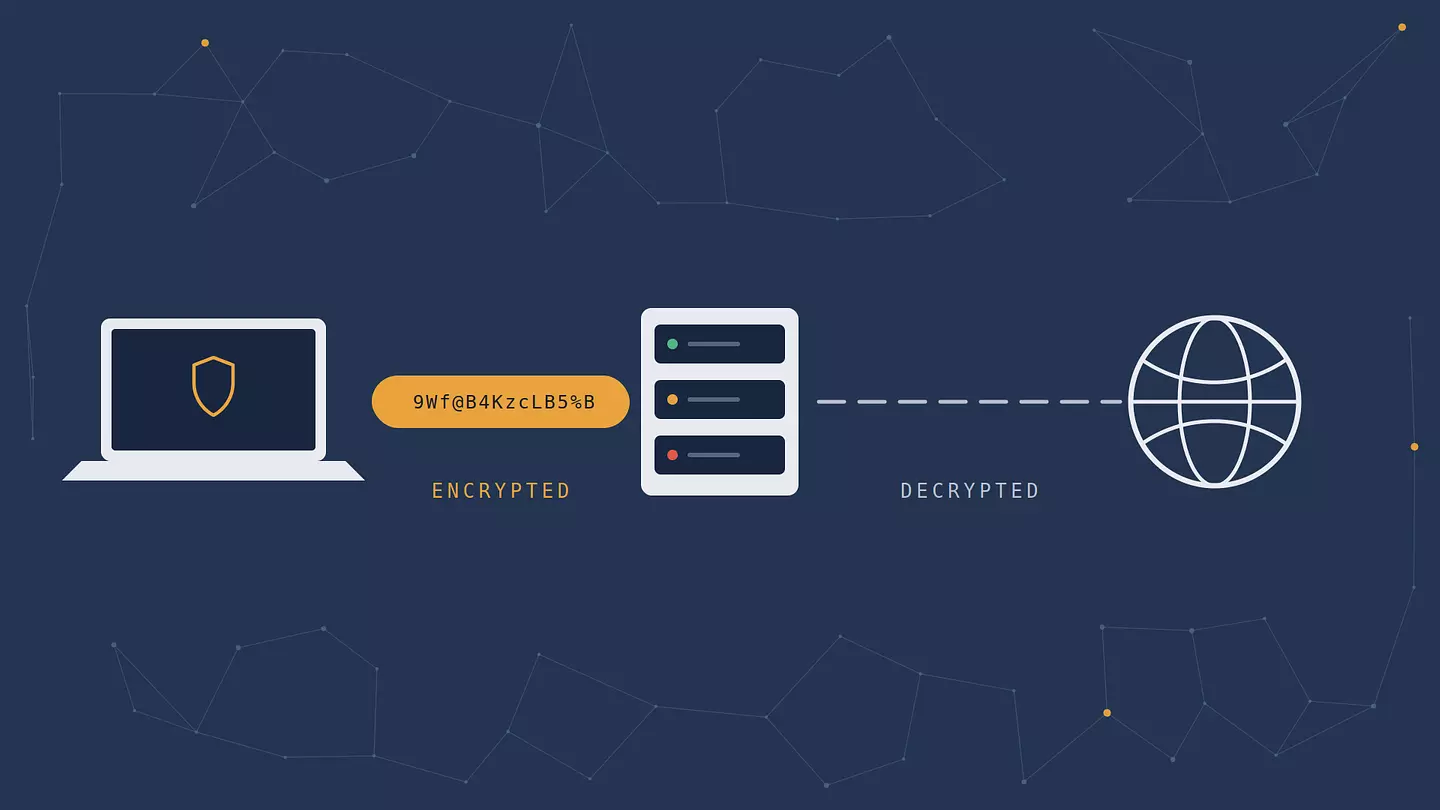
Every protocol below performs those same four steps. They differ in how they do it.
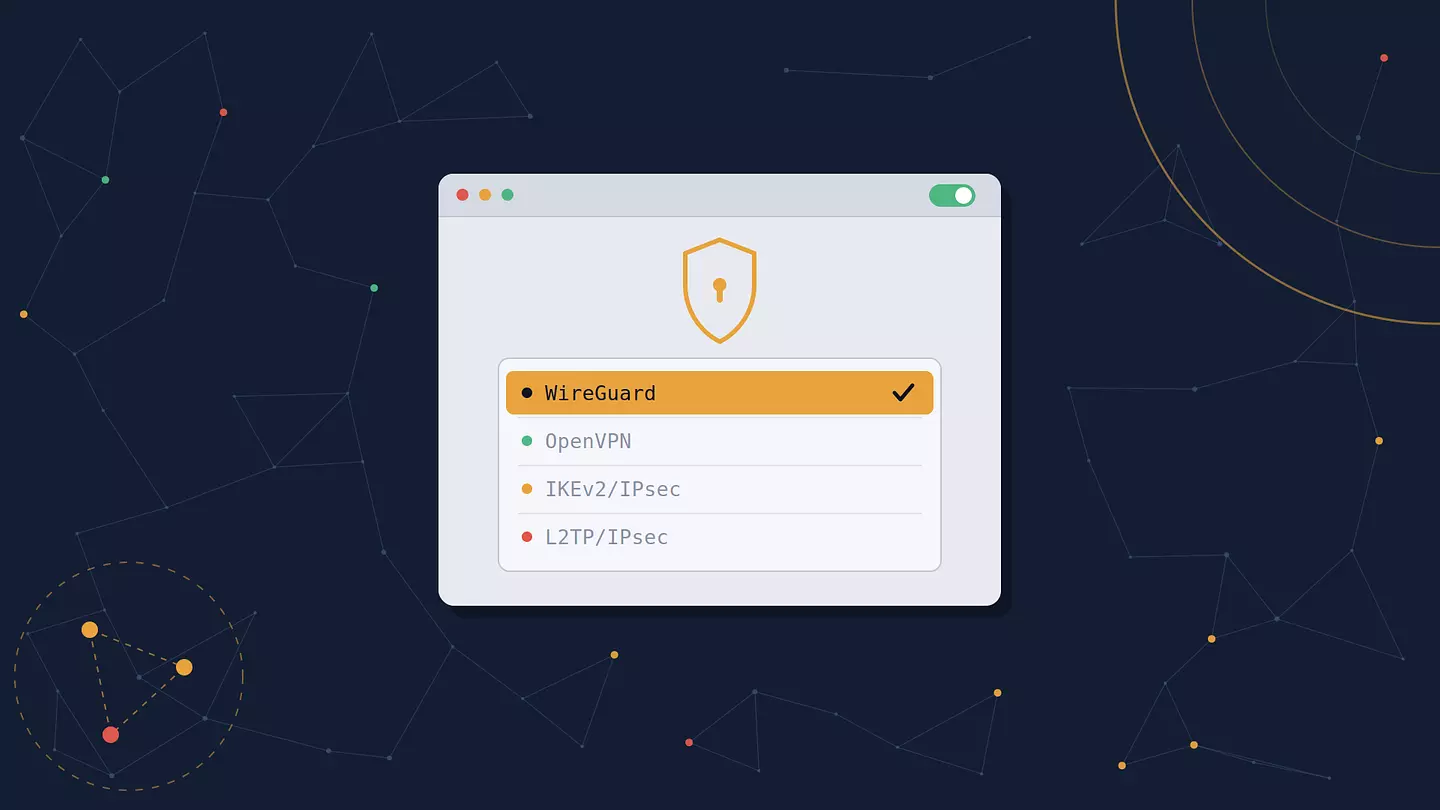
The 6 VPN protocols in your app's menu
WireGuard
Released in 2015 by Jason Donenfeld and merged into the Linux kernel in 2020, WireGuard is the modern default at most providers. It uses ChaCha20 for encryption, Curve25519 for key exchange, and Poly1305 for authentication, with no menu of options to misconfigure.
Its headline feature is size. WireGuard is roughly 4,000 lines of code, against about 100,000 for OpenVPN with OpenSSL and 400,000 for a typical IPsec stack. Less code means fewer places for bugs to hide and a much faster security audit. It also connects almost instantly and handles switching between Wi-Fi and mobile data gracefully.
The catch is a privacy quirk. Plain WireGuard assigns each user a static internal IP and keeps it in server memory, which is not what you want from a no-logs service. Providers solve this with a wrapper layer that reassigns addresses dynamically, which is why you'll see branded variants rather than vanilla WireGuard.
Verdict: fastest option available, and the right default unless something on the network is blocking it.
OpenVPN
The old reliable, out since 2001 and audited more times than anything else on this list. OpenVPN is open source, runs on effectively every platform, and supports AES-256-GCM alongside a long list of alternatives.
Its real advantage is flexibility. OpenVPN can run over UDP for speed or over TCP port 443, the same port ordinary HTTPS uses. That second mode makes the traffic much harder for a network to single out and drop, which is why it remains the fallback when nothing else connects.
The cost is speed. OpenVPN runs in userspace rather than the kernel and carries heavier overhead, and independent testing by Security.org measured roughly a 20 to 30 percent drop from an unprotected connection, with WireGuard coming in 10 to 20 percent faster. Recent versions with Data Channel Offload have narrowed that gap.
Verdict: slower than WireGuard, more likely to get through when a network is fighting you.
IKEv2/IPsec
Built by Cisco and Microsoft, standardized as RFC 7296, and supported natively on iOS, macOS, and Windows without installing anything extra.
IKEv2 is exceptionally good at one specific thing: staying alive when your network changes. A companion standard called MOBIKE lets the tunnel migrate when you walk out of a coffee shop and your phone drops to mobile data, so the connection resumes instead of dying. If you use a VPN mostly on a phone, that behavior is worth more day to day than a few extra megabits.
Its weakness is predictability. IKEv2 needs UDP ports 500 and 4500, and those are trivially easy to block. On a network that filters aggressively, it usually fails first.
Verdict: the best mobile experience, provided the network lets it through.
SSTP
Microsoft's contribution, shipped with Windows Vista SP1 back in 2008. SSTP runs over TCP port 443 and blends into normal HTTPS traffic well, which makes it decent at getting through restrictive firewalls.
Two problems. It's proprietary and closed, so nobody outside Microsoft has fully audited it, and support outside Windows ranges from awkward to nonexistent. It also inherits the TCP-over-TCP performance issue described further down.
Verdict: a reasonable Windows-only fallback, not a first choice.
L2TP/IPsec
L2TP dates to 1999 and provides no encryption whatsoever on its own, which is why it always appears paired with IPsec. The pairing works, but it wraps your data twice, and double encapsulation costs speed.
It also relies on a fixed set of UDP ports, making it as easy to block as IKEv2 while being slower. Microsoft has deprecated both L2TP and PPTP in Windows Server, where the VPN server role no longer accepts incoming connections over either one.
Verdict: legacy. If it's in your app's menu, something better sits next to it.
PPTP
Microsoft built PPTP for Windows 95, and it shows. Its authentication scheme, MS-CHAPv2, was broken publicly in 2012 by security researcher Moxie Marlinspike, who released a service that guaranteed to crack the key within 24 hours. Apple removed PPTP support entirely from macOS Sierra and iOS 10 in 2016.
It is genuinely fast, because near-zero encryption strength is cheap to compute.
Verdict: do not use it. It is fast the way a car with no doors is light.
Obfuscated protocols: when the goal is not being noticed
The six protocols above optimize for speed and security. There is a separate category that optimizes for something else: not being recognizable as a VPN in the first place.
This matters because blocking works in layers. A network can allow encrypted traffic in general while still detecting the specific signature of a VPN handshake and dropping it. Deep packet inspection does exactly that, and it is why a connection can fail on one network while working fine on another with identical settings.
Obfuscated protocols disguise the traffic instead of only encrypting it:
XRay (built on the Xray-core project) supports transports such as VLESS and REALITY, the latter designed to make the connection's opening handshake resemble a session with an ordinary website.
Shadowsocks, originally released in 2012, is an encrypted proxy protocol rather than a full VPN, built specifically to look like generic encrypted traffic.
Stealth or obfuscated modes offered by various providers usually wrap OpenVPN or WireGuard inside a TLS layer to achieve a similar effect.
Two honest caveats. Obfuscation adds a wrapping layer, so it is slower than running the same protocol plain. And no protocol can promise it will work in a given country at a given moment, because blocking methods are updated continuously. Treat obfuscation as something that improves your odds, not as a guarantee.
VPN protocol comparison
Protocol | Speed | Security | Best for | Status |
|---|---|---|---|---|
WireGuard | Fast | Strong, modern ciphers | Everyday use, streaming, gaming | Actively maintained |
OpenVPN (UDP) | Good | Strong, heavily audited | A dependable all-rounder | Actively maintained |
OpenVPN (TCP 443) | Moderate | Strong, heavily audited | Restrictive networks, hotel Wi-Fi | Actively maintained |
IKEv2/IPsec | Fast | Strong | Phones that switch networks often | Actively maintained |
SSTP | Moderate | Adequate, closed source | Windows machines behind a firewall | Niche |
L2TP/IPsec | Slow | Adequate | Nothing in particular | Deprecated |
PPTP | Fast | Broken since 2012 | Nothing | Obsolete |
XRay and other obfuscated | Slower | Strong, plus disguise | Networks that detect and block VPNs | Actively developed |
TCP or UDP: the other setting in that menu
Right next to the protocol picker, many apps offer a choice between TCP and UDP. Two of the questions people most often search alongside "VPN protocol" are about exactly this, so here is the short version.
UDP sends packets and doesn't check whether they arrived. It's faster and has lower latency, which is what you want for video, calls, and games. A dropped packet during a stream costs you a momentary blip, and the stream carries on.
TCP confirms delivery and resends anything lost. It's more reliable and, on port 443, hard to distinguish at a glance from normal web browsing, so it slips through firewalls that block everything else.
The reason UDP is the default is a problem called TCP meltdown. When you tunnel a TCP connection inside another TCP connection, both layers try to recover from the same lost packet independently, fighting each other and collapsing your throughput. It's a real effect, not a theoretical one, and it's why TCP mode should be the thing you switch to when UDP fails rather than your standing choice.
Which VPN protocol should you use?
Most people should leave the setting alone. Providers default to whatever performs best on your platform, and the default is right the large majority of the time. That said, if you're troubleshooting:
Streaming or gaming: WireGuard over UDP. It's the fastest and the most stable under load.
Public Wi-Fi at a café, airport, or hotel: any of the modern protocols protects you here, since the threat is other people on the same network rather than the network operator. What matters more is that the VPN is actually on before you log into anything. Our guide to using a VPN on public Wi-Fi covers what that traffic exposes.
A phone that hops between Wi-Fi and mobile data: IKEv2/IPsec, for MOBIKE and its quick reconnects.
A network that blocks the VPN outright: try OpenVPN over TCP 443 first, then an obfuscated option if the app offers one.
A corporate or campus network with a strict firewall: TCP 443 again. Blocking it would break normal browsing for everyone, so it tends to stay open.
Why the protocol depends on the app you're using
Here's something the standard protocol guides skip: which protocol you get is often decided by the type of app, not by you.
A full VPN client installed on your operating system can capture traffic from every application, so it can implement any protocol it likes at the network layer. A browser extension operates inside the browser, where that level of access simply doesn't exist. It can secure what the browser sends and nothing else, which means it uses a different technique entirely.
Browsec is a concrete example of both approaches in one service:
Platform | What it uses |
|---|---|
Mobile (iOS, Android) | IPsec IKEv2 and XRay, with AES-256 encryption |
Browser extension (Chrome, Firefox, Edge, Opera) | HTTP proxy over TLS, with AES-256 encryption |
The mobile apps run real VPN protocols, including XRay for the obfuscation case described above. The browser extension does something different: an encrypted proxy that covers your browser tabs. That's useful for changing your apparent location and protecting what you browse. What it does not do is cover traffic from other apps on the device, and that limit is worth knowing before you lean on it. If that distinction is new to you, it's worth reading our breakdown of how proxies and VPNs differ.
Desktop clients for Windows, macOS, and Linux are available too. The practical takeaway is the same either way: check what your particular app secures before assuming it covers everything, because the protocol determines that scope.
Frequently asked questions
Which types of protocols are used in VPNs?
The six you'll encounter in consumer apps are WireGuard, OpenVPN, IKEv2/IPsec, SSTP, L2TP/IPsec, and PPTP. A separate group of obfuscated protocols, including XRay and Shadowsocks, exists to disguise VPN traffic on networks that detect and block it.
What is the most common VPN protocol?
WireGuard and OpenVPN between them cover most consumer VPN traffic today. WireGuard is the default in most modern apps because it's faster, while OpenVPN remains the fallback when a network blocks WireGuard.
Is a VPN TCP or UDP?
It can be either, and most apps let you choose. WireGuard is UDP only. OpenVPN supports both, with UDP as the faster default and TCP port 443 as the option that gets through firewalls. IKEv2 and L2TP use UDP.
Can I change my VPN protocol?
In some VPN apps, yes, usually under settings or connection preferences. Browser extensions typically don't expose the choice, because they use an encrypted proxy rather than a system-level tunnel. Change it if you're troubleshooting a connection that won't establish. Otherwise the default is usually the fastest option your platform supports.
이 글 인용하기
Browsec. "What Is a VPN Protocol, and Which One Should You Use?." Browsec Blog, 2026년 08월 21일, https://browsec.com/ko/blog/vpn-protocols.