Free Telegram VPN

In some countries, access to Telegram is restricted or banned entirely, with Cuba and China being prime examples.

Browsec VPN gets you around these blocks by changing your IP address to make it look like you're browsing from elsewhere. Start chatting freely today!

  • Enjoy Telegram messaging with Browsec VPN!
  • High-speed servers in over 40 countries
  • Top security and protection guaranteed

How To Use Telegram With a VPN

You might find that, where you live, the use of Telegram is restricted. Remember, there's an easy way around that problem: Browsec VPN.

Browsec VPN lets you bypass any geographical restriction easily. That means you can use Telegram from anywhere in the world, even if that place has some local restrictions.

Follow these three simple steps to get started.

1단계
Download the Browsec VPN app on your device. This could be your smartphone, tablet, laptop or even your desktop computer.
2단계
Pick a location from the list of available countries in the app.
3단계
Open Telegram, and log in or sign up for an account.

Using Telegram on a computer? Try out our desktop app for Windows, Linux, or macOS or one of our dedicated browser extensions for Chrome, Firefox, Edge, or Opera! You can also check out our Telegram VPN bot.

Enjoy Telegram With Browsec VPN

We believe everyone has the right to free and unrestricted communication.

That's why Browsec VPN is here to help you bypass blocks and keep your conversation on Telegram uninterrupted.

Either it's government restrictions or network limitations, Browsec will easily provide access to your messaging app. It takes just one click to connect to a VPN, then you're free to chat from wherever you are at any time.

Our service will protect your messages from being intercepted.

Thanks to powerful encryption, your conversation with Browsec VPN will not get accessed by unwanted listeners. Now you can talk with friends, family, or colleagues with confidence that your chat is safe.

Experience the peace of mind that comes with having your communication encrypted and inaccessible to unauthorized users!

Easy-to-Use Privacy Solution

Getting started with Browsec VPN is a breeze. You don't need technical know-how to run this user-friendly service.

  1. First, install Browsec VPN on your device.
  2. Activate the VPN with just one tap.
  3. Pick from a variety of global server options.

This user-friendly approach is also applied to switching between countries - a few taps, and you are virtually in another location, using the same free and unrestricted access to Telegram.

For broader opportunities to widen your server pool, consider the Browsec Premium option that gives you access to our fastest servers in more than 40 virtual locations.

No technical knowledge is needed, with no configuration required - only easy and intuitive service right at your fingertips.
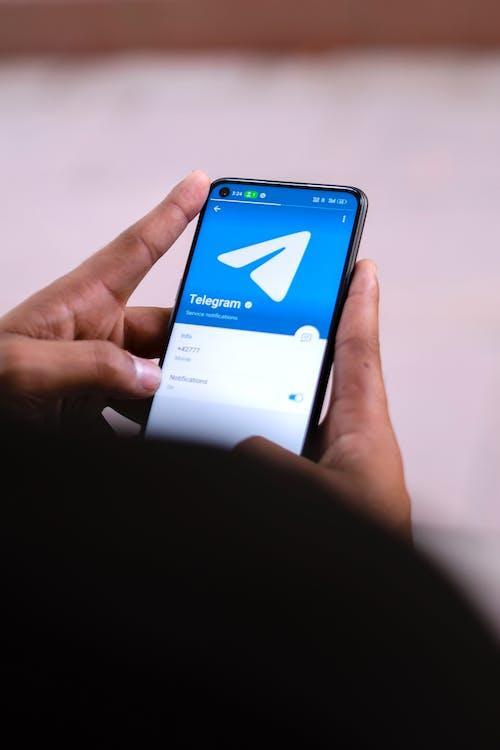
Enjoy Telegram With Browsec VPN

When To Use VPNs for Telegram

The knowledge of when to use VPN for Telegram can be a real game changer. Precisely when there can be no compromise on privacy and security.

  • First of all, using Telegram along with a VPN will will increase your online privacy significantly. It will mask your internet activity to the point where even the most prying eyes will find it impossible to trace you, for example, when you discuss sensitive data or work in a very strict surveillance area.
  • Travel abroad in a country with restrictions calls for a VPN for unbarred access to Telegram. Some governments block access to certain apps and websites, including Telegram. Browsec VPN helps you bypass these restrictions by changing your virtual location.
  • Public Wi-Fi is extremely convenient, but everyone knows that such networks are not secure. Logging into Telegram via a public network may result in cyber threats. Browsec VPN protects you when using these types of networks by encrypting your data with necessary security measures.
  • Lastly, if speed and efficiency are what you want, then Browsec VPNs can help in that department as well. You will have improved connectivity and speed on Telegram by connecting through servers in countries with fewer restrictions on the internet.
보안 강화하기

Browsec VPN을 선택하는 이유

보안
Browsec은 데이터를 암호화해 무단 접근으로부터 확실하게 보호합니다.
속도
웹사이트와 동영상 스트리밍이 빨리 로딩되어 웹 서핑이 끊기지 않습니다.
간편한 사용
Browsec은 이해하기도 쓰기도 쉬워서 기술 지식과 상관없이 누구나 쓸 수 있습니다.
강력한 암호화
군사 등급 암호화로 데이터를 보호하세요.
자유로운 접속
Browsec VPN을 쓰면 내 지역에서 제한될 수 있는 콘텐츠도 이용할 수 있습니다.
회원가입 불필요
Browsec VPN은 회원가입이나 로그인 없이 사용할 수 있습니다.
무료 VPN 서비스
Browsec VPN은 무료입니다. 돈 한 푼 들이지 않고 인터넷을 제한 없이 쓸 수 있습니다.
여러 가상 위치
40곳이 넘는 위치 중에서 필요에 맞는 곳을 고르세요.
익명성
Browsec은 온라인에서 꼭 필요한 프라이버시를 지켜 익명으로 인터넷을 쓸 수 있도록 돕습니다.

Does Telegram Work With a VPN?

Yes, it does!

Yes, Telegram works with a VPN. A VPN reroutes your connection through a server in another country, letting you bypass government or network blocks on Telegram while encrypting your messages for extra privacy.

Browsec VPN can also enhance your Telegram experience further by overcoming ISP throttling. Thanks to it, you won't face buffering problems or issues with messages not being sent properly.

Should I Use a Free VPN With Telegram?

Our free VPN is the perfect solution for using Telegram.

It’s easy: You change your location using the VPN; we make sure your online adventure is safe and free.

Hide your location, experience the web as it should be with unlimited access, and we're here to keep you along the way.

If you ever feel the need to have more, like avoiding overpopulated servers and a larger selection of servers, we've got something special in store for you.

Upgrading to our Premium Plan gives you access to unlimited content without compromise. It's designed for those who crave an all-access pass to the online world.

Whether it's improving your browsing experience or ensuring access to your favorite sites, our Premium Plan has you covered.

무료
월 $0.00
  • 군사 등급 암호화
  • 광고 없음
  • 1000Mbit/s 속도
  • 46개 이상 국가에 서버 1,000대 이상
  • 컴퓨터 전체를 보호하는 데스크톱 앱
Works in Chrome, Firefox,
iOS and Android
Premium
월 $2.99
  • 군사 등급 암호화
  • 광고 없음
  • 1000Mbit/s 속도
  • 46개 이상 국가에 서버 1,000대 이상
  • 컴퓨터 전체를 보호하는 데스크톱 앱
위험 부담 없는 7일 환불 보장

다른 VPN과 비교

Browsec
대부분의 무료 VPN
광고 없음
서버가 있는 국가 수
46+
< 10
고객 지원
호환 기기
온라인 활동 추적
하지 않음
할 수도 있음
동시 연결
5
1
자체 VPN 프로토콜
Xray/IPsec
없음

자주 묻는 질문

What is the best VPN for Telegram?

Browsec offers user-friendly features and robust security measures, making it a top recommendation for Telegram users worldwide.

Our free VPN provides a seamless browsing experience without compromising privacy.

Plus, with a Premium Plan, you get access to a wide range of server locations and unparalleled speed.

Check it out!

Why is Telegram blocked?

Telegram is blocked in some countries because governments may view its strong encryption as a threat to national security. That same encryption keeps messages private and hard for authorities to monitor, which makes officials worry it could shield illegal activity, including terrorism and criminal planning.

With Browsec VPN, you can appear as connecting from a different country and regain full Telegram functionality.

Why can't I access Telegram?

If you are having trouble accessing Telegram, generally, one of the following things happened:

  • You might be located in a country that restricts Telegram access. Some countries have put restrictions on using Telegram. If you're in one of these places, the government or local authorities might block your access to the app.
  • Alternatively, the problem might be closer to home — like at your office or school. Sometimes, institutions want to save internet bandwidth or keep distractions to a minimum. To achieve this, they restrict access to applications like Telegram.

Is Browsec VPN compatible with all devices?

Yes, Browsec VPN is compatible with a wide range of platforms, including Windows, macOS, Linux Android, and iOS. You can download the app from the respective app stores and enjoy unrestricted access to Telegram.

Is the free version of Browsec VPN sufficient for accessing Telegram?

Yes, the free version of Browsec VPN is designed to provide access to Telegram and ensure a secure and private messaging experience.

However, for enhanced features, faster servers and access to our desktop app, consider opting for Browsec Premium.

Is it legal to use a VPN?

Using a VPN is both common and legal.

Every day, millions of people around the world log onto the internet through a VPN. These virtual private networks offer a secure way for companies and everyday users to protect important business information, get around internet censorship, and use services such as Telegram.