Who Can Really See What You Search For
목차
- Your search history lives in four places
- Who sees what, at a glance
- Search engines and your Google account
- Your browser and anyone who uses your device
- Wi-Fi owners and network admins
- Your ISP and mobile carrier
- Can your parents see your search history?
- Employers
- Governments and law enforcement
- Hackers
- Does incognito mode hide your searches?
- Does deleting your history actually delete it?
- How to keep your searches private
- FAQ
The full text of your searches is visible to three kinds of parties: the search engine you typed them into, the browser you used, and anyone who can open your device or your account.
Everyone further down the line, like the Wi-Fi owner, your internet provider, or your mobile carrier, usually sees only that you visited google.com, not what you typed, because search traffic is encrypted. The big exception is a work or school device, where the organization can often read everything. Below is who's who, what each one can see, and what you can do about each.
Your search history lives in four places
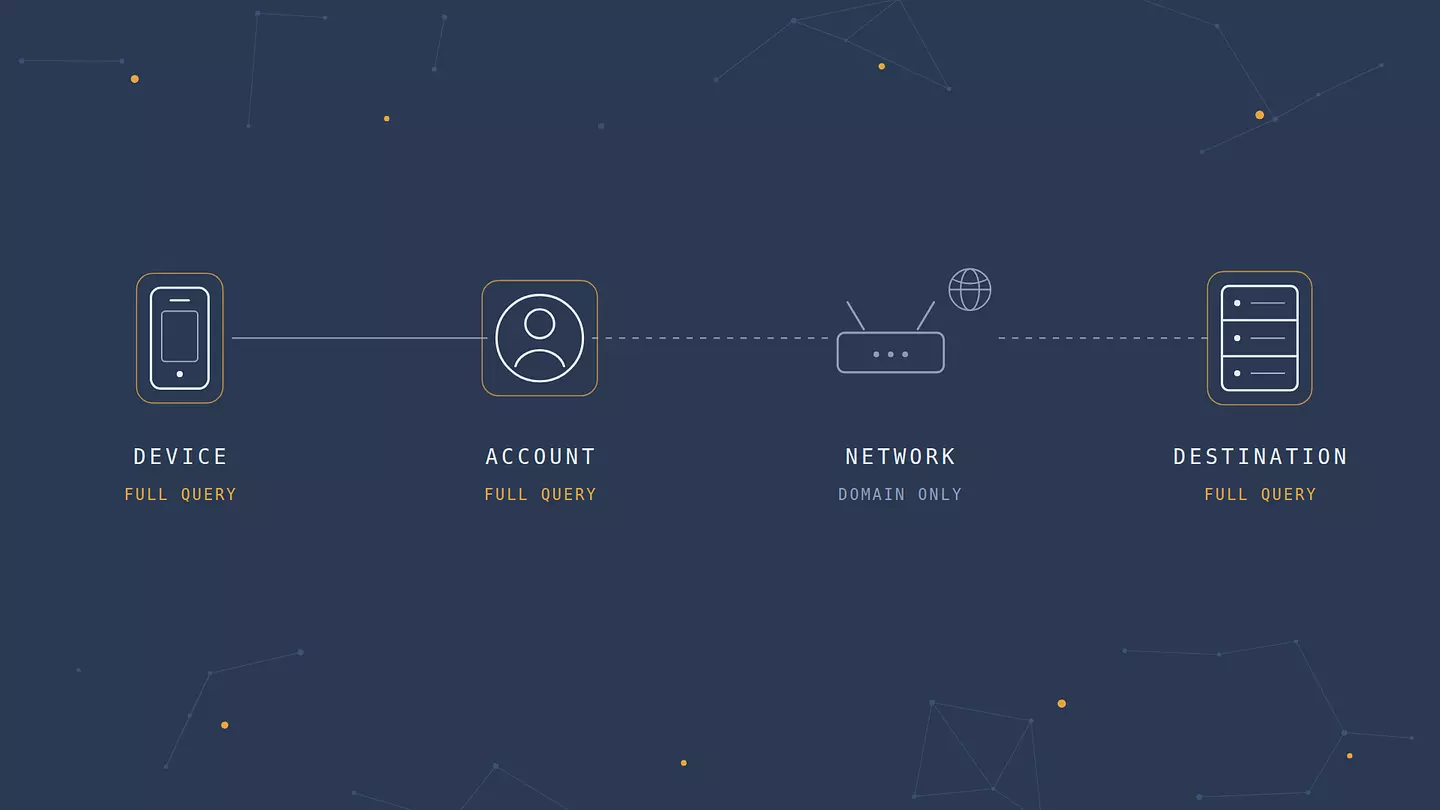
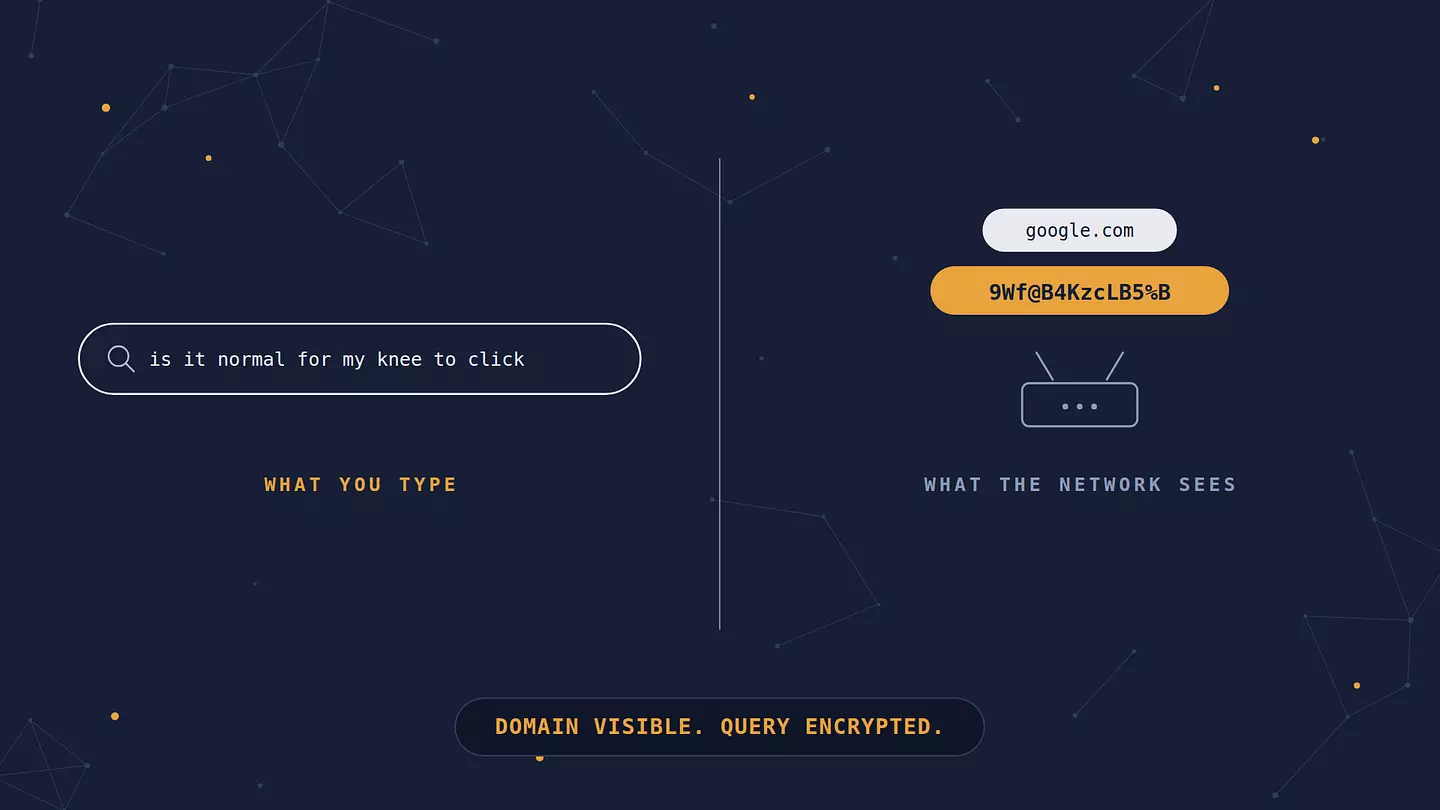
When you type "is it normal for my knee to click" into Google, copies of that moment land in four places, and each one has a different audience.
On your device. The browser keeps a local history, the address bar remembers what you typed, and the search box offers it back as a suggestion next time.
In your account. If you're signed in to Google, the query is saved to your account's My Activity page, where it stays until you or an auto-delete setting removes it. With Chrome sync on, your browsing history also follows you to every device signed in with that account.
On the network. Your request travels through the Wi-Fi router, then through your internet provider or mobile carrier. They carry the traffic, but thanks to HTTPS encryption they only see the address on the envelope, not the letter inside.
At the destination. Google itself sees the query, and so do the sites you click through to, plus the ad networks and trackers loaded on those sites.
Once you think of it this way, most "can X see my searches?" questions answer themselves. Just ask which of the four places that person can reach.
Who sees what, at a glance
"Domains" here means the site name, like youtube.com or webmd.com, without the specific page or the words you searched.
Who | Your exact search terms | Sites you visit | How |
|---|---|---|---|
Search engine (Google, Bing) | Yes | The results you click, and many other sites through its ad and analytics tags | Logs every query, tied to your account if you're signed in |
Your browser | Yes | Yes, full pages | Local history, synced to other devices if you're signed in |
Anyone with your unlocked device or account | Yes | Yes | Opens your history or My Activity |
Wi-Fi owner or network admin | No | Domains | DNS lookups and the SNI field |
Internet provider or mobile carrier | No | Domains, with times and data volume | Same as above, across all your traffic |
Websites and advertisers | Searches on their own site | Their site, plus others through trackers | Cookies, pixels, fingerprinting |
Employer or school, on a device they manage | Often yes | Yes, full pages | Device management and TLS inspection |
Police or government | Yes, with legal process | Yes, with legal process | Requests to Google or your provider |
VPN provider | No | Domains | Your traffic passes through its servers |
Search engines and your Google account
Google sees every search you make, signed in or not. Signed in, the searches attach to your account and show up at myactivity.google.com next to your YouTube searches, Maps lookups, and voice commands. Signed out, Google still logs them against your IP address and browser cookies, just without your name on them.
How long it keeps them depends on when you created the account. Since June 2020, new Google accounts auto-delete Web & App Activity after 18 months by default. Older accounts keep everything until you change the setting yourself. You can pick 3, 18, or 36 months, or pause the history entirely.
The part people overlook is that "your account" isn't only you. Anyone signed in as you sees the whole list: a partner on a shared laptop where you never logged out, a family computer where everyone uses one Google profile, a phone you hand over unlocked. That's the most common way search history ends up in front of another person, and it has nothing to do with hacking or surveillance.
Bing and Yahoo work the same way. Private search engines like DuckDuckGo and Startpage don't build a profile around your searches, which is the whole reason they exist.
Your browser and anyone who uses your device
Your browser keeps its own record, separate from your Google account. Chrome, Safari, Firefox, and Edge all store a local history of pages you visited, and the address bar will happily autocomplete a search you'd rather nobody saw. Delete your Google activity and the local copy stays. Clear your browser history and the Google copy stays. They're independent.
Sync muddies this. A signed-in Chrome carries your history to your phone, your tablet, and any work laptop where you signed in with the same account, so someone picking up your tablet can see what you searched on your phone.
Anyone holding your unlocked device sees all of this in seconds. A screen lock plus a separate user account or browser profile on shared computers solves more real-world privacy problems than any tool further down this list.
Wi-Fi owners and network admins
Whoever runs the Wi-Fi you're on, whether that's a parent, a landlord, or a café, can see which sites your device connects to, but not what you search on them.
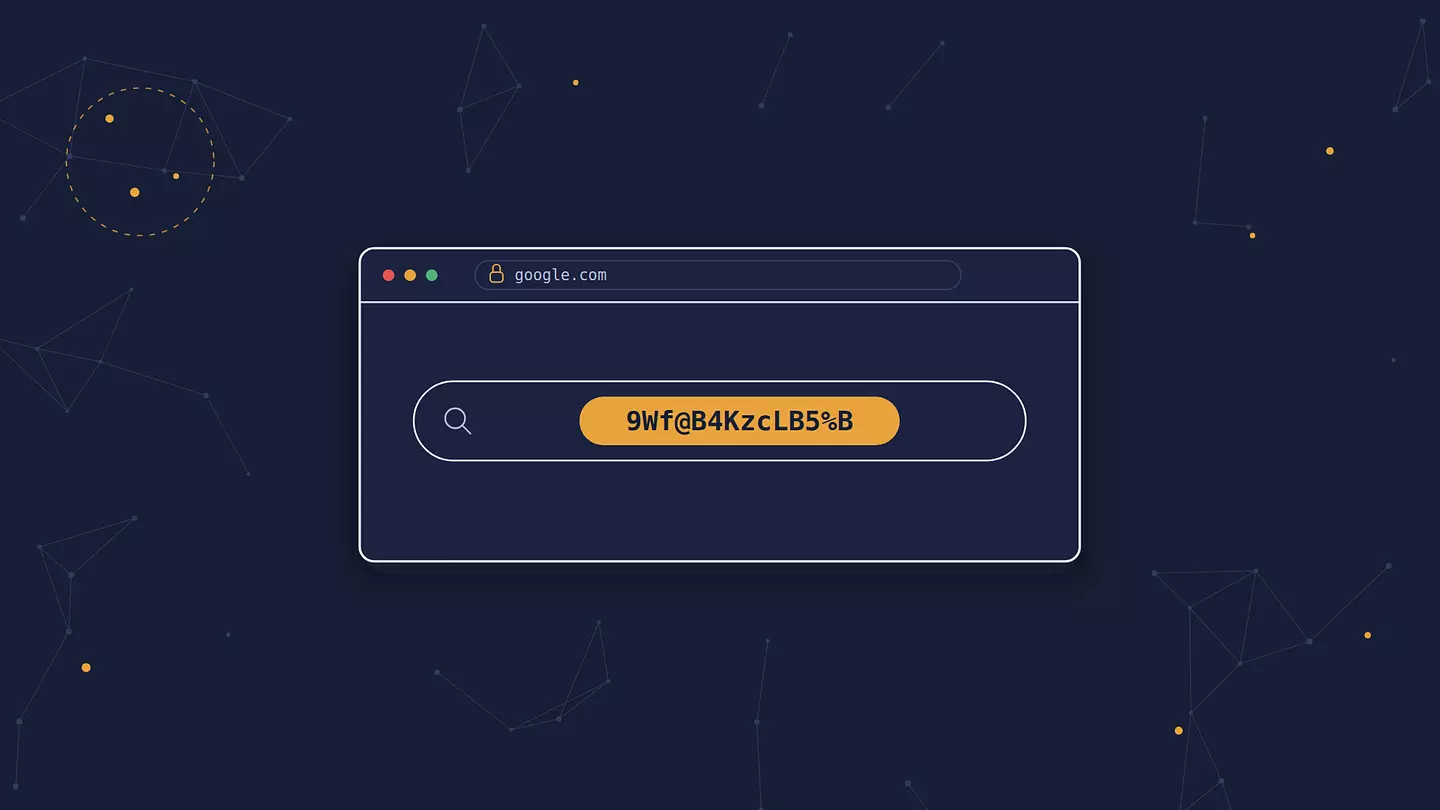
Every major search engine uses HTTPS, so the words you type travel encrypted from your browser to the search engine's servers. The router passes them along without being able to read them.
What leaks is the domain, through two channels. The first is the DNS lookup, where your device asks "what's the address of google.com?", and by default that question goes out unencrypted. The second is the SNI, a field in the opening message of an HTTPS connection that names the site you want. Together they let a network owner build a list like google.com at 9:14, webmd.com at 9:15, reddit.com at 9:22. That can be revealing on its own, but it's a list of sites, not a transcript of your searches.
Both leaks are closing. Encrypted DNS (DNS over HTTPS) is built into Chrome, Firefox, and Edge and is available system-wide on recent versions of Android, iOS, and Windows. Encrypted Client Hello hides the SNI. Firefox has turned it on by default since version 119, though it only works on sites that support it, which today mostly means sites behind Cloudflare.
If the network is yours, it's worth checking who else can get onto it, and our guide to securing your home Wi-Fi walks through it. On public networks the bigger question is who else is connected, which we cover in whether public Wi-Fi is safe to use.
Work and school devices are the exception
Everything above assumes a device you control. Laptops and phones issued by an employer or school are often enrolled in device management (MDM) and carry a security certificate installed by the organization. That certificate lets the organization's firewall decrypt HTTPS traffic, inspect it, and re-encrypt it, a practice called TLS inspection. On a device like that, IT can see full URLs, including the search terms sitting inside a Google results link, and many web filters log them by design.
Some schools also ask students to sign in to Chrome with a school account, even on personal devices, which applies school policies and reporting to that browser profile. If an organization manages the device or the browser profile, assume it can see your searches.
Your ISP and mobile carrier
Your internet provider sees what a Wi-Fi owner sees, just for all of your home traffic and over a much longer stretch of time: which domains you connect to, when, and how much data moves. Your mobile carrier sees the same thing when you're on cellular data. Neither can read your Google searches as long as the connection is HTTPS.
What happens to that domain list is the bigger issue. In 2017, Congress repealed the FCC's broadband privacy rules before they took effect. Those rules would have required US providers to get your opt-in consent before using browsing data for advertising. In October 2021, an FTC staff report on six major US providers (AT&T, Verizon, Comcast, Charter, T-Mobile, and Google Fiber) found that several of them combined web browsing data with other personal data to target ads, sorted customers into sensitive categories such as race and sexual orientation, and made it hard to opt out.
The rules look different elsewhere. In the EU, providers need your consent before using traffic data for marketing. Many countries, on the other hand, require ISPs to keep connection logs for months or years so authorities can request them later.
Can your parents see your search history?
Sometimes. It depends on whose device it is, whose account it is, and which parental controls are switched on, and much less on the Wi-Fi.
Here's what parents can realistically see:
On an iPhone or iPad with Screen Time and Family Sharing, a report of the websites used in Safari and time spent on each. It shows domains like youtube.com, not the words typed into Google.
On Android with Google Family Link, mostly screen time, app approvals, and site filters. Family Link doesn't show a search log itself, but a parent who knows the password to a child's Google account can open its My Activity page like any other.
On the home router, many routers and mesh systems list which sites each device connects to. Domains again, not search terms.
On a shared computer or a shared account, everything, same as anyone else.
With a dedicated monitoring app, it depends on the app. Some log searches or take screenshots.
If you're a teenager wondering whether a VPN changes this: for the router, yes. For everything else, no. Screen Time, Family Link, and monitoring apps run on the device itself, so they see activity before it ever enters an encrypted tunnel. On a supervised phone, installing a new app usually needs a parent's approval anyway, and many monitoring apps flag a VPN the moment it shows up. Trying to route around parental controls tends to end in a bigger conversation than the search itself would have.
That conversation is often the better move to begin with. Most parents set up monitoring because they worry about specific things, like strangers, scams, or adult content, not because they want to read every search.
Asking what they actually check, and saying what you'd like to keep to yourself, works more often than people expect. And if the search is about your health, your body, or how you're feeling, a doctor, a school nurse, or a counselor will give you better answers than a search results page.
If you're the parent, the same logic runs the other way. Kids tend to find silent monitoring eventually, and telling them which tools you use and why keeps the trust that makes the tools less necessary over time.
Employers
On a work laptop, assume your employer can see everything, searches included, for the reasons in the work and school section above. In the US, monitoring company-owned devices is generally legal, and it's usually spelled out in the acceptable-use policy you agreed to on your first day.
On your own phone connected to the office Wi-Fi, your employer is just a network owner. It sees domains, not searches. The exception is a work profile or company management app installed on your personal phone. Check what it covers, because the managed part of the phone can be monitored.
Governments and law enforcement
Police rarely watch search history live. They ask for it afterward, from the companies that store it. In the US that means a subpoena, court order, or warrant sent to Google for account data, or to your provider for connection records. Google says it reviews each request and pushes back on ones that are too broad, and it publishes request counts twice a year in its Transparency Report.
Requests can also run in reverse. After a 2020 arson in Denver killed five people, police sent Google a "keyword warrant" asking for everyone who had searched the house's address in the 15 days before the fire. The Colorado Supreme Court upheld it in 2023, and it led investigators to the suspects. Most people will never be anywhere near a case like that, but it shows that saved search history is a record that can be requested, not just an ad profile.
In countries with fewer legal limits, the ISP's logs matter more, because the government can go to the provider directly.
Hackers
A stranger on public Wi-Fi can't read your searches any more than the café owner can, since the traffic is encrypted. The realistic routes in are different:
Account takeover. Someone who gets your Google password sees your entire My Activity history. Two-factor authentication stops most of these attempts.
Info-stealing malware. It copies browser history, saved passwords, and login cookies straight off the device, and it usually arrives with a fake download or cracked software.
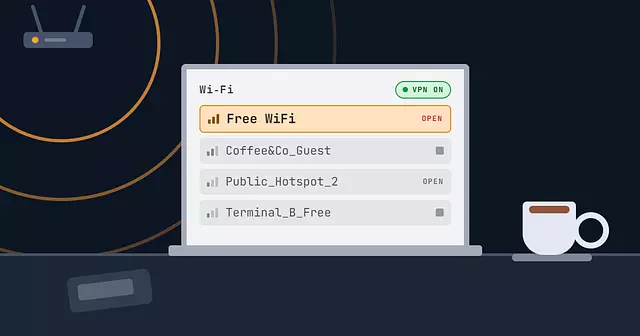
Fake hotspots and phishing pages. An "Airport_Free_WiFi" network that sends you to a lookalike sign-in page is after your password, and your password gets them your history.
Does incognito mode hide your searches?
Only from people who use your device after you. Incognito or private browsing doesn't keep history, cookies, or form entries once you close the window. It hides nothing from the search engine, your Wi-Fi owner, your ISP, your employer, or the sites you visit. And if you sign in to Google inside an incognito window, your searches go straight into your account's history as usual.
Google paid for that confusion. In the class action Brown v. Google, filed in 2020, users argued that Google kept collecting data about their incognito browsing through its ad and analytics tools. Under the 2024 settlement, Google agreed to delete billions of private-browsing records, rewrite Chrome's incognito disclosure, and block third-party cookies in incognito by default for five years.
Does deleting your history actually delete it?
It deletes one copy, and which copy depends on where you press delete.
Clearing browser history removes the local copy on that device, and on your other devices if sync is on. Your Google account activity stays.
Deleting in My Activity removes it from your account right away. Google's retention policy says full removal from its active systems takes about two months, and copies can remain in backup systems for up to six months.
Neither one touches what your ISP logged, what the sites you visited recorded, or what ad networks collected.
Deleting is still worth doing. It stops the most likely viewer, someone using your device or account, from stumbling onto it.
How to keep your searches private
Each tool fixes one viewer, so pick based on who you're actually concerned about.
From people who use your devices: a screen lock, a separate browser profile or user account on shared computers, and a private window for one-off searches. If you're choosing a browser with privacy in mind, here's how the different types of browsers compare.
From your Google account's long memory: set auto-delete to 3 months, or pause Web & App Activity. Signing out before a sensitive search keeps it off your account entirely.
From the search engine's profile of you: switch to DuckDuckGo, Startpage, or Brave Search.
From your Wi-Fi owner and your ISP: turn on encrypted DNS, and use a VPN.
A VPN wraps your traffic in an encrypted tunnel to a VPN server, so the router and your provider see only that you're connected to a VPN, not even the domains. Know its limits too. A VPN doesn't stop Google from logging searches while you're signed in, doesn't bypass monitoring on a managed device, and doesn't hide the domains from the VPN provider itself, which now sees what your ISP used to. That's why the provider you pick matters.
Browsec covers this at the level you need. The browser extension for Chrome, Firefox, Edge, and Opera is free and protects that browser's traffic. The desktop app for Windows, macOS, and Linux (Premium) and the apps for Android and iOS cover everything on the device, including apps outside the browser.
If you face serious risk, such as reporting on a government or organizing in a country that watches its internet closely, Tor Browser routes traffic through three volunteer relays so no single one knows both who you are and what you're looking at. It's slower, and many sites treat Tor visitors with suspicion, but it's built for exactly that situation.
FAQ
Can the Wi-Fi owner see what I search on mobile data?
No. On cellular data, your traffic never touches their router. Your mobile carrier sees the domains instead, and still not the searches themselves.
Can a VPN provider see my searches?
Not the search terms. Your searches are HTTPS-encrypted inside the VPN tunnel too, so the provider can't read them. It could see which domains you connect to, the same thing your ISP would otherwise see, which is why a provider's logging practices are worth checking.
Can someone tell if I Googled them?
No. Google doesn't notify anyone that they've been searched for. Some sites you land on do, though. LinkedIn, for example, can show people who viewed their profile if you're signed in and your visibility settings allow it.
Can deleted search history be recovered?
Sometimes. On your own device, recovery tools can pull deleted browser data off a drive until it's overwritten, and a synced copy may still sit on another device. In your Google account, a deleted search disappears from My Activity immediately, but Google says it takes about two months to purge it from active systems and up to six months from backups. Your ISP's connection logs aren't affected by anything you delete.
Does clearing cookies clear my search history?
No. Cookies and history are separate. Clearing cookies signs you out of sites and resets trackers, but your browser history and your Google My Activity stay until you delete them.
Who can see my YouTube or TikTok search history?
The platform itself, plus anyone signed in to your account or holding your unlocked phone. Nobody on your network sees more than the domain. YouTube search history lives in your Google account (new accounts auto-delete it after 36 months by default) and can be paused separately. TikTok keeps recent searches in the app, and you can clear them from the search screen.
이 글 인용하기
Browsec. "Who Can Really See What You Search For." Browsec Blog, 2026년 09월 16일, https://browsec.com/ko/blog/who-can-see-my-search-history.