If Someone Has Your IP Address, Here's What They Can Do
목차
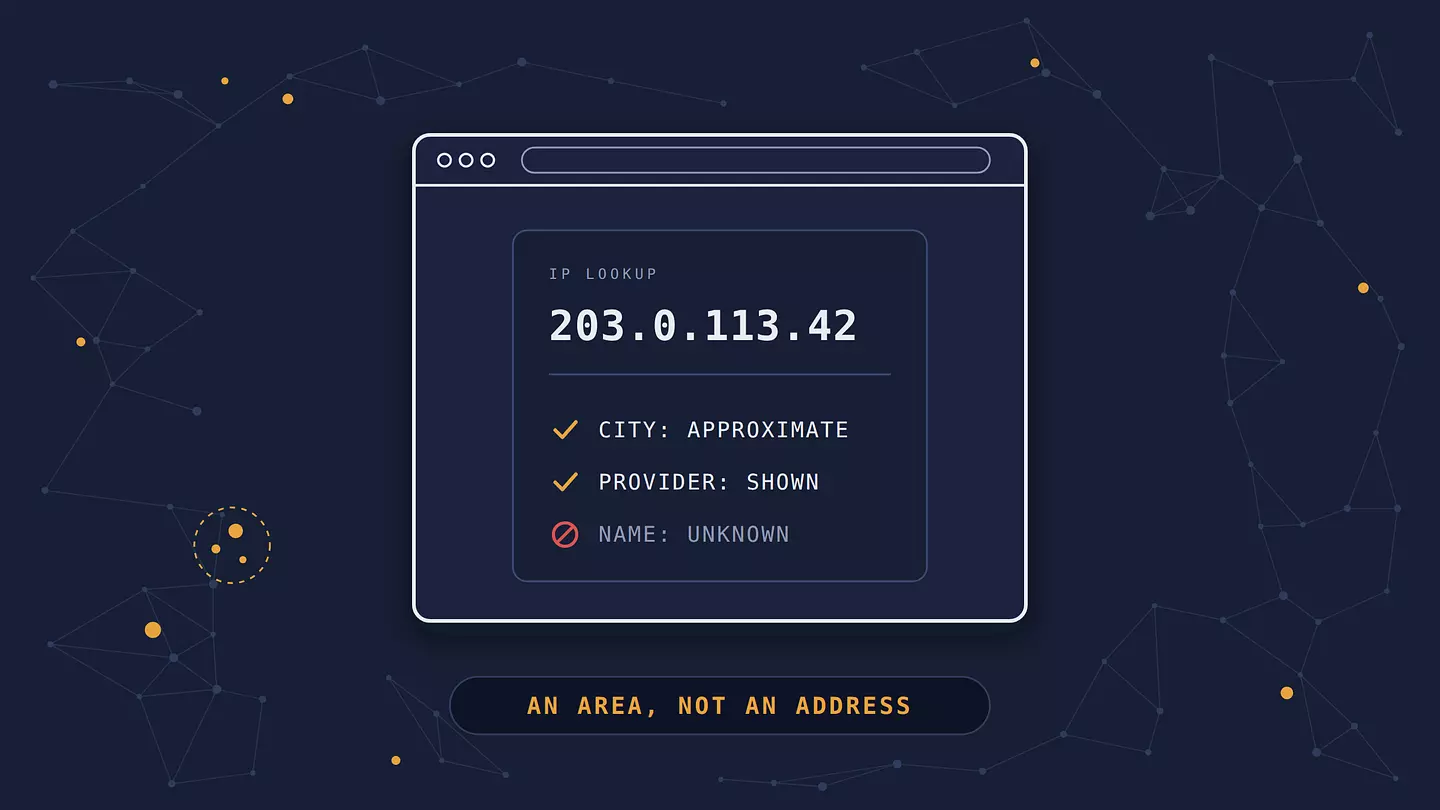
With your IP address, someone can see your approximate area, usually a city or region, and which internet provider you use. They could try to knock your connection offline or look for weak spots in your router.
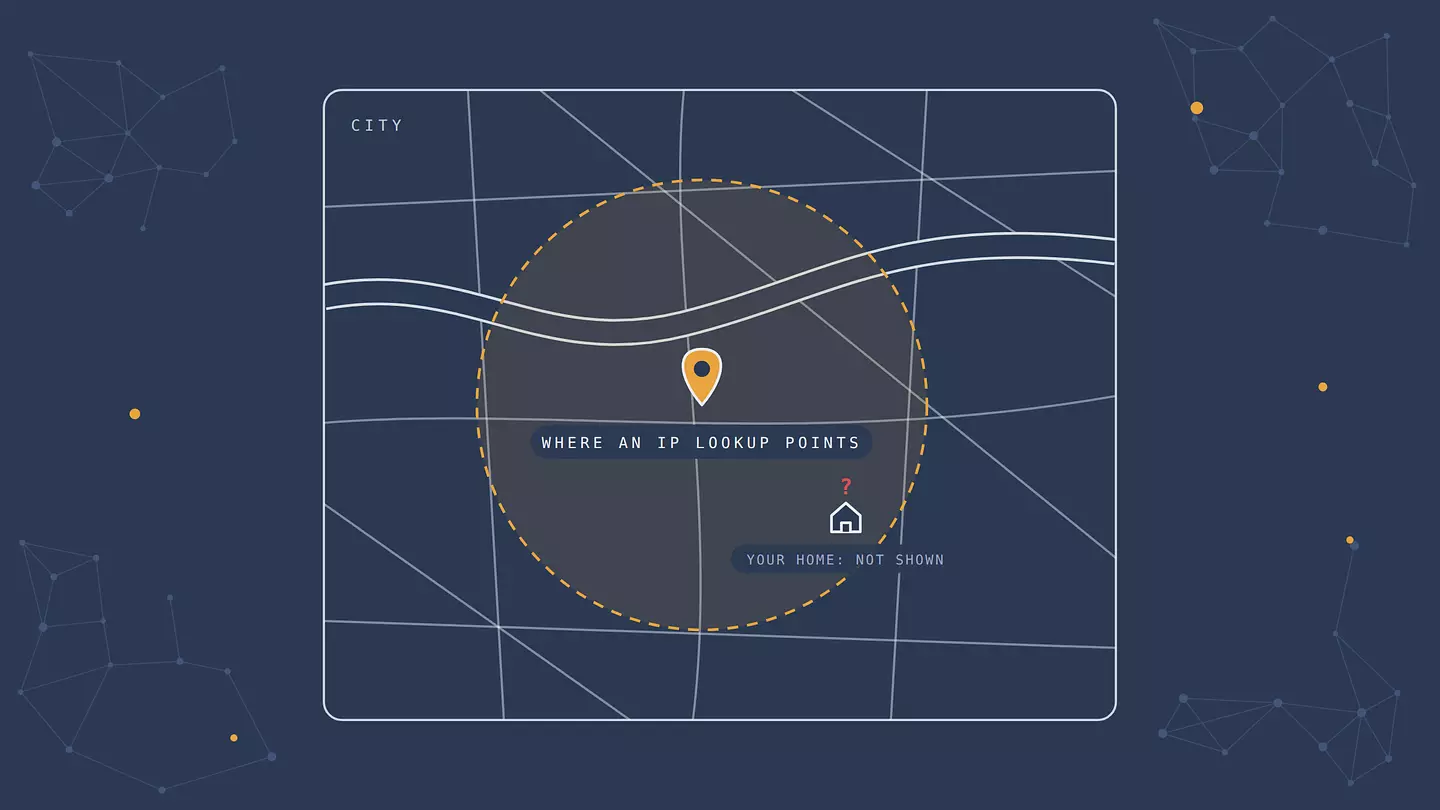
What they can't do with the IP alone is find your name or home address, or hack into your devices. Your internet provider is the one that can link your IP address to your name and home address, and it generally hands that over only when the law requires it.
What your IP address reveals, and what it doesn't
Your IP address is the number your internet provider assigns to your connection so data knows where to go. Every site, app, game server, and service you connect to directly sees it. Here's what it can and can't reveal:
What your IP reveals | What it doesn't reveal |
|---|---|
Your country, and usually your region or city | Your street address or home |
Your internet provider | Your name, email, or phone number |
Roughly whether it's a home, mobile, or business connection | What you do online or which sites you visit |
When that IP connected to a service | Which device in your home was being used |
Whether you're connecting through a VPN or proxy | Your passwords or what's in your accounts |
Even the location is rougher than most people expect. MaxMind, one of the biggest IP location databases, reports that only about 60% of US IP addresses are placed within 50 kilometers of their real location, and about a third are matched to a city farther off than that. On mobile data it's often even vaguer: many carriers share one public IP address among lots of customers, so a lookup may point to the carrier's hub in another city entirely.
What someone can realistically do with your IP
Most of it is mundane, and the most common use has nothing to do with anyone targeting you personally.
Websites and advertisers use it to track you
This is the one near-certainty. Every site you visit sees your IP address, and most keep it in their logs. Advertisers and data brokers use it, along with cookies and other signals, to guess your location, show you local ads and prices, and link your visits together. Streaming services and shops use it to decide which content or prices you get in your country.
Someone could knock you offline
A DDoS attack (distributed denial of service) floods your connection with junk traffic until it stops working. Cloudflare explains how it works. For ordinary people, the usual target is gamers and streamers: someone gets your IP during a match or a voice chat and pays a cheap "booter" service to take your connection down for a while. It's disruptive and illegal in many countries, but it doesn't give the attacker access to your devices or data. It stops when the attack stops, or when your IP changes, unless the attacker finds your new one.
Someone could probe your router for weak spots
With your IP, someone can scan your connection for open ports, the doors your router leaves open for specific services. On a modern, updated router with its standard firewall settings, there's usually nothing useful to find. The risk comes from an old router that no longer gets updates, a router still using its default admin password, or devices you've deliberately exposed to the internet, like a security camera or a home server. In those cases, the weak spot is the problem, not the fact that someone knows your IP.
Scammers could make their messages more convincing
Knowing your city and internet provider helps a scammer sound legitimate. An email or call "from your internet provider" about a billing problem is more believable when it names the right company. The IP address itself doesn't give them your email or phone number, though. They'd need to get those somewhere else.
Legal requests can identify you
Police investigating a crime can ask your internet provider, through a formal legal request such as a court order, which customer had a particular IP address at a particular time. In some countries, copyright holders monitor file-sharing networks and send notices or legal requests through your provider. This is the main way an IP address on its own gets linked to your name.
What someone can't do with your IP
A lot of online advice treats an IP address like a house key. It isn't one.
They can't find your home address. An IP lookup gives an area, often a whole city, and sometimes the wrong one. Your street address stays with your internet provider.
They can't hack your phone or computer with the IP alone. They'd need a vulnerability to exploit, like an unpatched device exposed to the internet, or they'd need to trick you into installing something.
They can't see what you do online from your IP. Knowing it doesn't let anyone watch your traffic. That would take access to your network or your internet provider's.
They can't pin something on you with the IP alone. An IP address isn't proof of who did something: several people and devices can share one connection, and IPs change over time. Investigators need more evidence than an IP to identify a specific person, which is also why an open Wi-Fi network or an infected device can drag an innocent person into an investigation.
How people get your IP address
You visit a website. Every site sees your IP, and so do the ad and analytics companies whose code runs on it.
You play online or join a voice chat. Some games and voice apps connect players directly, so other participants can see your IP.
You use torrents. Everyone sharing the same file can see the IP addresses of the other peers.
You click an "IP logger" link. These look like ordinary shortened links but record the IP of anyone who clicks them before redirecting. They're a common trick for grabbing a gamer's or streamer's IP.
You open an email with images. Some email services load images directly from the sender's server, which can reveal your IP. Many, including Gmail, load them through their own servers instead.
What to do if someone has your IP address
For most people, nothing dramatic. If someone is harassing you or you're worried:
Get a new IP address. On most home connections the IP is dynamic, meaning it changes from time to time, and restarting your router sometimes gets you a new one, though not always. If yours doesn't change, your provider may have given you a fixed one. Our explainer on static vs. dynamic IP addresses covers the difference.
Check your router. Change the default admin password, install firmware updates, and turn off port forwarding and UPnP (a feature that lets devices open ports automatically) unless you need them. Our guide to securing your home Wi-Fi walks through each step.
Contact your internet provider if you're being hit by a DDoS attack. It can help filter the traffic or assign you a new IP.
Go to the police if someone threatens you. Keep screenshots and messages. Someone saying they'll "trace your IP" is usually bluffing about what that would reveal, but threats themselves can be a crime.
How to protect your IP address
The simplest way is to stop showing it. A VPN replaces your IP address with the VPN server's, so sites and IP logger links see the server's address instead of yours. If someone attacks that address, they hit the VPN's server, not your home connection. What gets covered depends on where the VPN runs: the Browsec browser extension hides your IP from the sites you open in that browser, while the Browsec desktop app (Premium) and the apps for Android and iOS cover the whole device, including game clients, voice chats, and torrents. One catch: a VPN can't hide an IP someone already has. If you're under attack right now, get a new IP first, then connect.
Our explainer on what a VPN is covers how it works, and our guide to changing your IP address compares the other options.
A few habits help too:
Be wary of shortened links from strangers, especially in games and chats.
Use the game or voice app's built-in privacy settings, since some offer relay options that hide your IP from other players.
Keep your router updated, so there's nothing to find even if someone does scan it.
FAQ
Can someone find my home address from my IP address?
No. An IP lookup shows an approximate area, usually a city or region, and sometimes the wrong one. Your internet provider is the one that can link the IP to your name and address, and it generally releases that only when legally required.
Can someone hack me with just my IP address?
Not with the IP alone. They'd need a separate weakness, like an outdated router, a device exposed to the internet with a default password, or malware they trick you into installing. Keeping your router and devices updated closes most of those doors.
Can the police track my IP address?
Yes. The police can ask your internet provider which customer used an IP address at a specific time, through a formal legal request such as a court order. The exact rules depend on the country. That's how IP addresses get linked to real people in criminal investigations.
Is it illegal for someone to look up my IP address?
Looking up where an IP address is registered isn't illegal. Using it to attack your connection, harass you, or break into your devices is illegal in many countries.
Should I worry if someone threatens to "trace my IP"?
Usually not. The most they can find on their own is your approximate area and your internet provider. Save the messages, try restarting your router or ask your provider if you want a new IP, and report the threat if it feels serious.
이 글 인용하기
Browsec. "If Someone Has Your IP Address, Here's What They Can Do." Browsec Blog, 2026년 10월 01일, https://browsec.com/ko/blog/what-can-someone-do-with-your-ip.