Browsec Now Runs on Desktop, Mobile and in the Browser
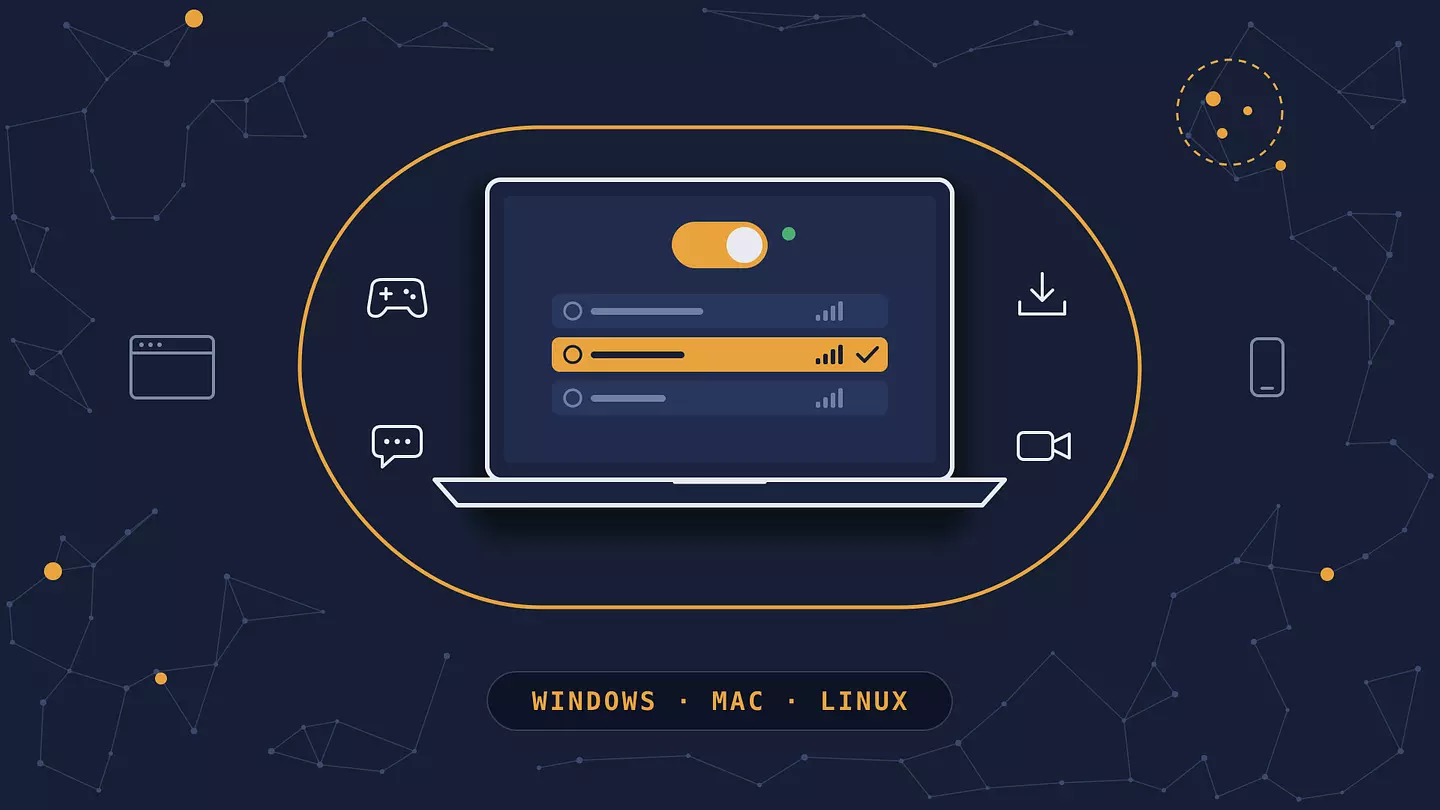
Browsec VPN is now available as a standalone desktop app for Windows, macOS and Linux.
Released in 2026, the app protects traffic from the whole computer, including games, messengers and torrent clients, not just the browser. With it, Browsec runs on nine platforms: four browsers (Chrome, Firefox, Edge, Opera), two mobile systems (iOS, Android) and three desktop systems.
Where Browsec is available in 2026
Form | Platforms | What it protects | Plans |
|---|---|---|---|
Browser extension | Chrome, Firefox, Edge, Opera | Traffic from that browser | Free and Premium |
Mobile app | iOS (iPhone and iPad), Android | The whole device | Free and Premium |
TV app | Apple TV, Android TV | The whole device | Free and Premium |
Desktop app | Windows 10 and 11, macOS 12 and later, Linux (Ubuntu, Debian) | The whole computer | Premium |
All four share one account and one server network. On the Mac, the app supports both Intel and Apple Silicon. The Windows and Linux builds are x64 for now, with ARM64 versions in development.
What changed
Browsec was widely known as a VPN browser extension, and it also had a mobile app. On a computer, though, the extension was the only option, and an extension can only handle traffic from its own browser. Steam, torrent clients, Telegram, Discord, Zoom and every other program went around the VPN.
The desktop app works at the system level, so every program on the computer gets the same encrypted connection.
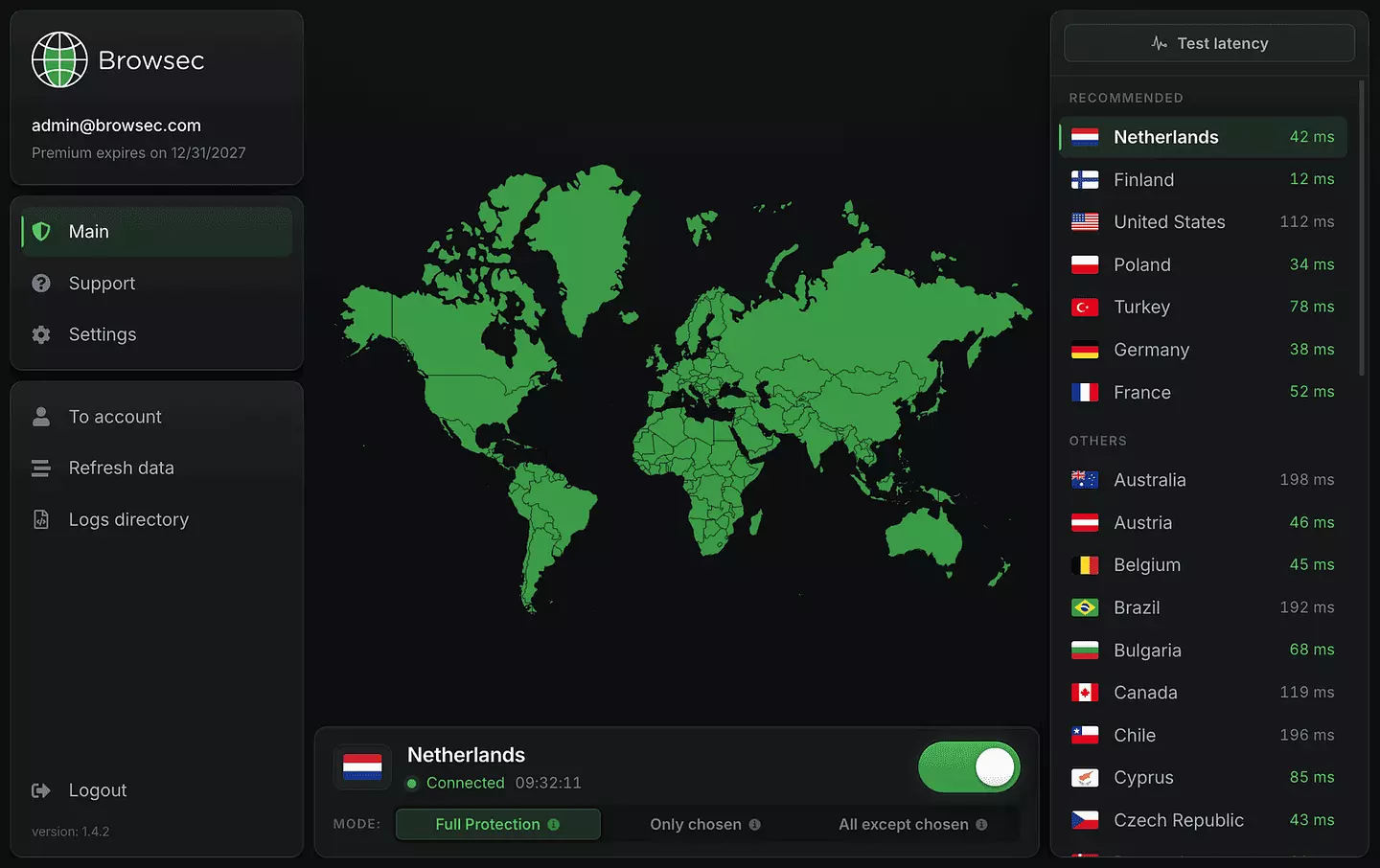
What the desktop app does
You can send everything through the VPN (Full Protection), protect only the apps you pick (Only chosen), or protect everything except a few exceptions (All except chosen). Those app lists are called Smart Rules, and you set them once. The app also reconnects on its own if the connection drops, and it can start with the system and connect to your last server.
How to get it
The desktop app is part of Browsec Premium. If you already have Premium, download it from the Browsec desktop page, sign in with the same account and press Connect. The extension and mobile apps still have a free plan, and Premium options are on the plans page.
The installers are hosted on GitHub, which some internet providers block. If the download won't start, turn on the Browsec extension first, or use one of the mirrors on the download page.
Browsec 무료와 Premium 비교
FAQ
Is Browsec only a browser extension?
No. Browsec is available as a browser extension for Chrome, Firefox, Edge and Opera, as a mobile app for iOS and Android, and, since 2026, as a desktop app for Windows, macOS and Linux. The desktop and mobile apps protect the whole device. The extension protects one browser. All three use the same Browsec account and the same network of 46 server locations, so you can switch between them without setting anything up twice.
Does Browsec work outside the browser?
Yes. The Browsec desktop app for Windows, macOS and Linux protects every program on the computer, including games, torrent clients, messengers and video calls. The mobile apps for iOS and Android protect the whole phone. Only the browser extension is limited to its own browser.
Which operating systems does the Browsec desktop app support?
Windows 10 and 11, macOS 12 and later on both Intel and Apple Silicon, and Linux (Ubuntu and Debian). The Windows and Linux builds are x64 for now, and ARM64 versions are in development. Each system has its own installer: .exe for Windows, .pkg for macOS and .deb for Linux.
Is the Browsec desktop app free?
No. The desktop app is available only with Browsec Premium. If you already have Premium, the desktop app is included at no extra cost, so you only need to download it and sign in. The browser extension and the mobile apps still have a free plan, and nothing about it changes with this release.
How many devices does one Browsec subscription cover?
One Browsec Premium subscription covers five sessions at the same time, in any combination of browser extensions, desktop apps and phones. For example, the desktop app on your home computer, the extension on a work laptop and the app on your phone take up three of the five, which leaves room for two more.
이 글 인용하기
Browsec. "Browsec Now Runs on Desktop, Mobile and in the Browser." Browsec Blog, 2026년 10월 09일, https://browsec.com/ko/blog/browsec-desktop-app.