What a Digital Footprint Is, and What It Can Tell About You
목차
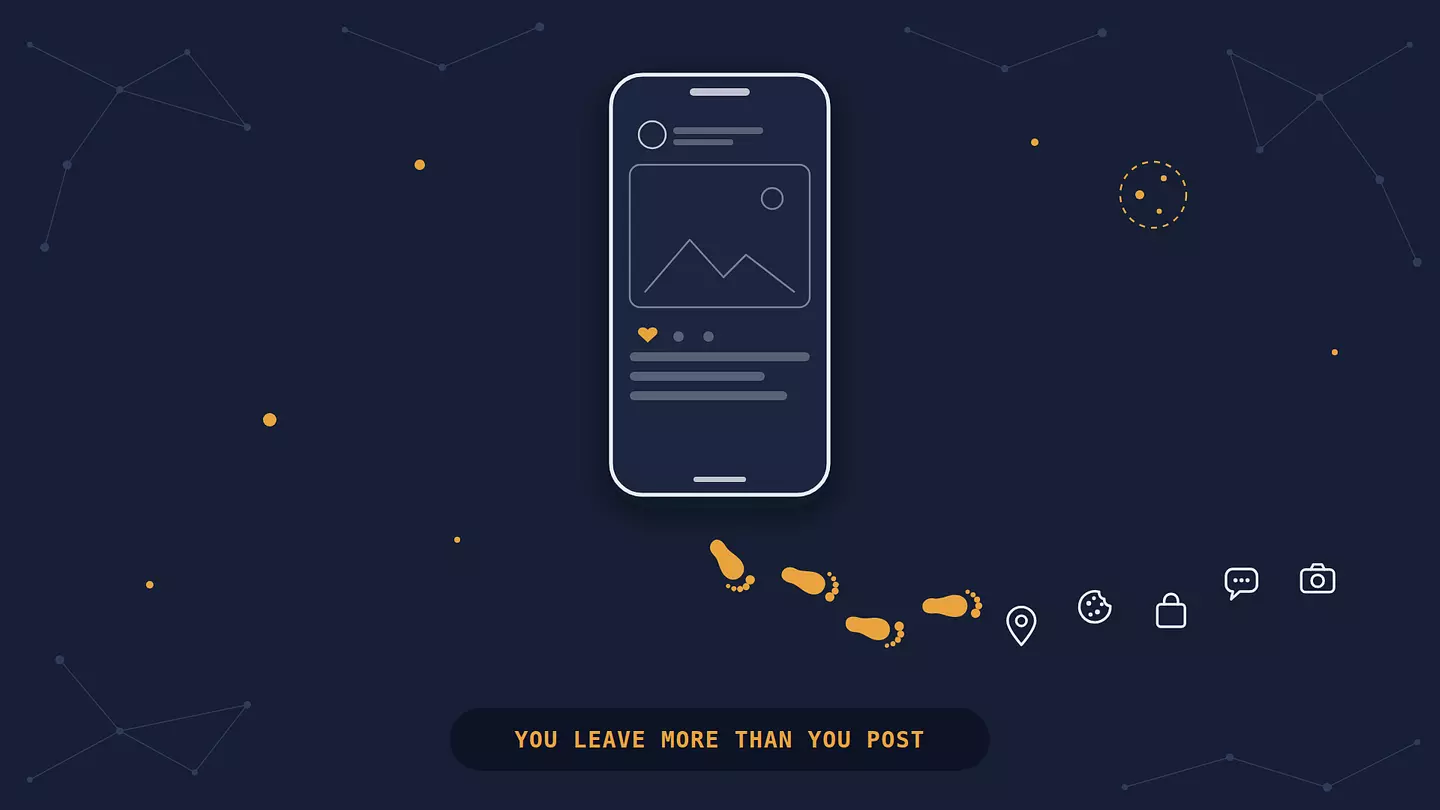
A digital footprint is the trail of data you leave behind when you use the internet.
Some of it you create on purpose, like posts, reviews, and accounts. The rest is collected about you without you doing anything, like your location, the sites you visit, and what you buy. You can't erase it completely, but you can see more of it than you'd expect and make it a lot smaller.
What is a digital footprint?
A digital footprint, also called a digital shadow or an online footprint, covers everything about you that builds up online, whether you posted it or someone collected it. It grows every time you go online.
It helps to think of it as living in three places:
Out in the open. Anything a stranger can find by searching your name: social media profiles, old forum posts, a comment on a news site, a photo someone tagged you in, a listing on a people-search site.
Inside companies. What Google, Meta, Amazon, your phone maker, your apps, and hundreds of advertising firms and data brokers hold about you. You can't see this part by searching, but it's usually the biggest.
On your own devices. Browser history, saved logins, downloads, photos. This is the part you have the most control over, and it matters least for your privacy, as long as it stays on the device. Once your browser history, passwords, or photos sync to a Google, Apple, or Microsoft account, they're in the second place too.
Most advice focuses on the first place, because that's the part you can see. The second is where your footprint does most of its work, whether that's shaping the ads you see or ending up in a data breach.
Active vs. passive digital footprints
Every digital footprint has two layers. An active footprint is what you put out there deliberately. A passive footprint is data collected about you as a side effect of using the internet, often without you knowing.
Active footprint | Passive footprint | |
|---|---|---|
What it is | Data you share on purpose | Data collected about you automatically |
Examples | Posts, comments, reviews, photos, sign-up forms, emails | Browsing history, location, IP address, device details, purchase patterns |
Who sees it | Often public, or visible to your contacts | Mostly companies, advertisers, and data brokers |
How much control you have | A lot: you decide what to post and can delete it | Little: you can reduce it, but you rarely see it unless you go looking |
How hard it is to remove | Moderate: copies, screenshots, and archives can outlive the original | Hard: it's spread across many companies you've never heard of |
The two feed each other. You post a photo from a concert (active), and the app records where and when you were, what phone you used, and, if you tagged friends, who you were with (passive).
Digital footprint examples
Here's where most people's footprint actually comes from, grouped by source.
Social media
Your posts, likes, comments, follows, and the photos other people tag you in. Even a private profile isn't private from the platform: it still knows who you interact with, what you pause on, and when you're online. Deleting a post removes it from your profile, not necessarily from the platform's records or from someone's screenshot.
Search and browsing
With Web & App Activity switched on, which it is by default, every search you make while signed in to Google is saved to your account (newer accounts auto-delete it after 18 months). The sites you visit load trackers from advertising companies, so a visit to one online shoe store can show up in ads on a news site an hour later. We cover who can see this part in more detail in our guide to who can see your search history.
Shopping and banking
Your order history, delivery addresses, payment cards on file, loyalty-card purchases in physical stores, and every return. Retailers use it to predict what you'll buy next. Banks and payment apps keep transaction records for years, partly because regulators require it.
Your phone and its apps
This is where the passive footprint grows fastest. Maps apps store your location history. Many free apps include advertising code from third parties that reports what you do in the app, even if the app itself has nothing to do with ads. A single photo can carry the exact GPS coordinates of where it was taken in its hidden metadata. Big social apps strip that when you post, but emailing or sharing the original file often doesn't.
Smart devices
Fitness trackers can log your heart rate, sleep, and running routes. Some smart speakers keep recordings of your voice commands until you delete them. Connected cars can report where and how you drive.
Public records and data brokers
Property records, court filings, voter rolls, and business registrations are public in many countries. Data brokers collect these, combine them with purchase data and online activity, and sell the result. That's how a people-search site can list your age, past addresses, and relatives without you ever having signed up for anything.
How your passive footprint gets collected
This is the part most explanations skip, and it's the part that grows without you noticing.
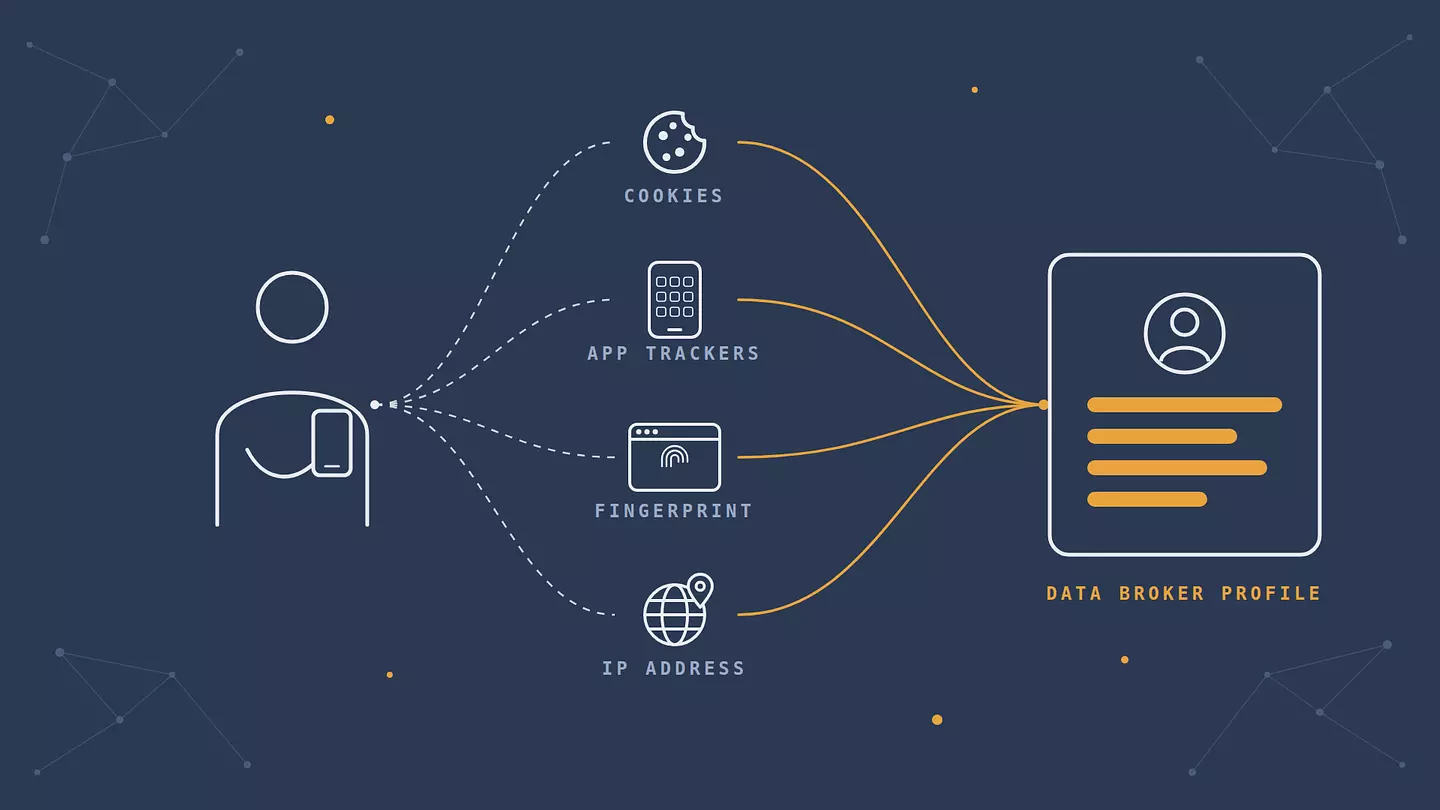
Cookies. Small files a site saves in your browser. First-party cookies keep you logged in. Third-party cookies, set by ad companies whose code is embedded in the page, let the same company recognize you across thousands of different sites.
Tracking pixels. Invisible images in web pages and emails. When your browser or email app loads one, it can tell the sender that you opened the page or the message, when, and on what device. Some email apps, like Gmail and Apple Mail, load images through their own servers to blunt this.
Browser fingerprinting. Sites can identify you without cookies by combining details your browser reveals anyway: screen size, fonts, language, graphics card, time zone. Together these are often unique. Clearing cookies does nothing against it, and Google's ad rules have allowed advertisers to use it since February 2025, a change the UK's data regulator called irresponsible. The EFF's Cover Your Tracks test shows how unique your browser looks.
Your IP address. Every site you connect to sees it. It can reveal your approximate location and internet provider, and it helps tie your visits together over time.
Tracking code inside apps. Many apps bundle kits from ad and analytics companies that collect device IDs, location, and usage, then send that data to those third parties.
Data brokers. They buy and combine all of the above with offline records into a single profile, then sell access to advertisers, insurers, landlords, and many other buyers.
None of this needs a data breach or a hacker. It's the normal business model of much of the free internet. It's also why so many people feel stuck: in a 2023 Pew Research survey, 73% of Americans said they have little or no control over what companies do with their data, and 67% said they understand little to nothing about it.
Why your digital footprint matters
It matters because people and companies make decisions based on it, usually without telling you. Here's where that shows up.
Your reputation. Employers, landlords, schools, and dates often search people's names. An old post can shape their first impression before you've said a word.
Your security. Scammers use public details, like your employer, your pet's name, or your mother's maiden name, to guess security questions and write convincing phishing messages. And whatever companies hold about you can leak. Have I Been Pwned lists more than 17.8 billion accounts exposed in known data breaches, and each leak adds to your footprint in places you never chose.
Your money. Companies use your footprint to decide which ads you see, and sometimes which prices and offers you get. In early 2025 the US Federal Trade Commission reported that pricing firms help retailers set prices for individual shoppers using their location, browsing history, the items they leave in their cart, and even their mouse movements.
It also sticks around. Deleting something doesn't guarantee it's gone. Archives, backups, screenshots, and data brokers can keep copies long after you've moved on.
A footprint isn't all bad, though. A professional profile, a portfolio, or thoughtful posts in your field are the kind of footprint that helps when someone looks you up. The goal isn't to vanish. It's to decide what's out there.
How to check your digital footprint
You can't see everything companies hold about you, but you can see more than most people ever look at. Set aside half an hour for these.
Search your own name. Put it in quotes, and add your city or employer to narrow it down. Check the image results too, then repeat with your usernames and email addresses. Use a private window so your own history doesn't skew the results.
Use Google's "Results about you". It watches Google Search for your phone number, home address, and email, alerts you when they show up, and lets you request removal. It's in the Google app under your profile, and it's still only available in some countries. Removing a result from Google doesn't remove the page itself, though.
Check for data breaches. Enter your email address at Have I Been Pwned to see which breaches it appeared in. If a site shows up, change your password there and anywhere else you reused it.
Download what the big platforms hold. Google Takeout and Google's My Activity page show your searches, YouTube history, and much more. Meta's Accounts Center has a "Download your information" option for Facebook and Instagram. It often goes back much further than people expect.
Look yourself up on people-search sites. In the US, these include Spokeo, Whitepages, and BeenVerified. Most have an opt-out page, usually buried in the footer.
How to shrink your digital footprint
You won't get it to zero, but you can cut down what's public and slow down what's collected.
Clean up what you shared
Tighten the privacy settings on your social accounts, archive or delete old posts you wouldn't want an employer to read, and delete accounts you no longer use. A dormant account is still a copy of your data that can leak. For anything a platform won't remove, like a page on someone else's site, ask the site owner directly.
Use your legal right to deletion
In the EU, Article 17 of the GDPR gives you the right to have your personal data erased in many situations, with some exceptions, and companies generally have to respond within one month. The UK's version of the law works the same way. In the US, a growing number of states, including California, Virginia, and Colorado, give residents the right to request deletion too. California goes a step further: its free DROP platform lets residents send a single deletion request to more than 600 registered data brokers at once, and brokers have been required to process those requests since August 2026.
Limit what's collected from now on
Review app permissions and switch off location, contacts, and microphone access for apps that don't need them.
In your Google account, turn off Google Maps Timeline and set Web & App Activity to auto-delete.
Use a browser that blocks third-party trackers by default. Our comparison of the main types of browsers covers which ones do.
Give sign-up forms a separate email address, or an email alias, so your main one doesn't end up on every marketing list.
Use a VPN for the network layer
A VPN hides your real IP address from the sites you visit and hides which sites you visit from your internet provider and whoever runs the Wi-Fi you're on. That removes one of the ways your visits get linked together and located. The VPN provider can see which sites you visit instead, so pick one you trust. And a VPN doesn't make you anonymous: it doesn't stop tracking inside the accounts you're logged into, block cookies or fingerprinting on its own, or delete anything already collected. Treat it as one layer, not a cleanup tool. Our guide on the everyday reasons to use a VPN goes into where it helps and where it doesn't.
FAQ
Can you delete your digital footprint completely?
No. You can delete accounts, request removal from data brokers, and clean up search results, which shrinks it a lot. But copies in backups, archives, other people's screenshots, and the records of companies you've never dealt with directly are out of your reach.
How long does a digital footprint last?
Much of it lasts indefinitely. Public posts can be archived by services like the Wayback Machine, and data brokers resell records for years. Some data does expire: many apps and platforms let you set auto-delete periods, and privacy laws like the GDPR require companies to delete data they no longer need.
Is a digital footprint a bad thing?
Not by itself. Everyone who uses the internet has one, and a well-kept one can help you, for example when a recruiter finds your professional profile. It becomes a problem when it exposes more than you meant to share, or when it's collected and sold without your knowledge.
Who can see my digital footprint?
Your active footprint is often visible to anyone who searches your name. Your passive footprint is mostly seen by the companies that collect it: platforms, advertisers, data brokers, your internet provider, and anyone they share it with. Governments and law enforcement can request it too, depending on local law.
Does a VPN erase your digital footprint?
No. A VPN reduces what's collected from now on at the network level, mainly your IP address and what your internet provider sees. It doesn't delete anything that already exists, and it doesn't hide what you do while signed in to Google, Facebook, or any other account.
이 글 인용하기
Browsec. "What a Digital Footprint Is, and What It Can Tell About You." Browsec Blog, 2026년 10월 07일, https://browsec.com/ko/blog/digital-footprint.